 AlpacaKeep
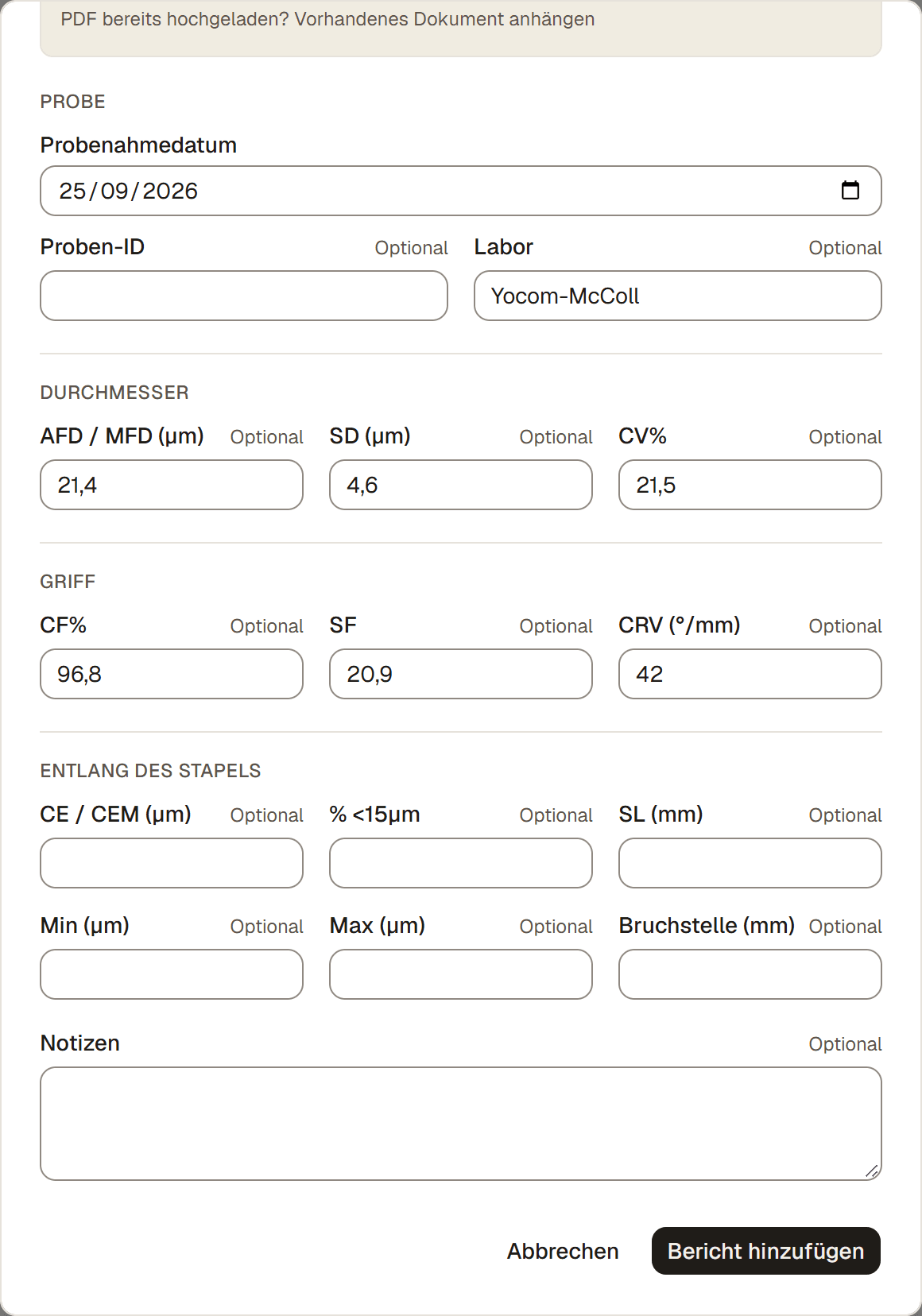
Um einen Faser-Laborbericht hinzuzufügen, öffne das Tier, geh zu seinem Tab Faser und wähle Faser-Laborbericht hinzufügen. Du kannst das PDF des Labors hochladen und AlpacaKeep die Werte ausfüllen lassen, oder du tippst sie selbst ein. Einen Bericht pro Tier zu erfassen ist in jedem Tarif kostenlos.
Schritte
- Tiere → ein Tier öffnen → Tab Faser.
- Faser-Laborbericht hinzufügen. Damit öffnet sich das Berichtsformular. Wenn du bei der Schur eine Probe erfasst hast, kannst du auch über Ergebnis hochladen bei dieser Probe starten.
- Lade das Labor-PDF hoch, falls du eines hast. AlpacaKeep liest es aus und füllt die Werte für dich ein. Speichern bleibt gesperrt, bis das Auslesen beendet ist; deine manuell eingegebenen Werte bleiben erhalten.
- Wähle die Probe. AlpacaKeep kann eine Probe mit passendem Datum vorschlagen, aber du bestätigst die Verknüpfung. Die gespeicherte Verbindung hält das Ergebnis bei der richtigen Schur, nicht das Jahr oder der neueste Bericht.
- Prüfe Dokument und Werte. Vor dem Speichern wird der genaue Dokumenttitel angezeigt. Prüfe, ob der Bericht zu diesem Tier gehört, und korrigiere oder ergänze danach die Werte.
- Speichern. Der Bericht wird zum Tab Faser dieses Tiers hinzugefügt und, falls ausgewählt, mit seiner Probe verknüpft.
Tipp. Das PDF hochzuladen ist der schnellste Weg. Die Werte füllen sich für dich aus, und der Originalbericht bleibt am Tier angehängt.
Wenn zwei Dokumente denselben Titel haben, zeigt die Auswahl zusätzlich das Upload-Datum, damit du sie unterscheiden kannst.
Die Probe erfassen, bevor das Ergebnis eintrifft
Aktiviere beim Erfassen einer Schur Faserprobe fürs Labor genommen. Dadurch entsteht im Tab Faser des Tieres eine ausstehende Probe, in jedem Tarif. Ab dem Farm-Tarif erscheint sie auch auf der Faserseite deines Hofs. Das Laborergebnis kann Wochen, Monate oder sogar erst in einem späteren Kalenderjahr eintreffen: Wähle bei der ausstehenden Probe Ergebnis hochladen und bestätige die Verknüpfung im Berichtsformular.
Mehrere Berichte können mit derselben Probe verknüpft werden, wenn ein Labor einen Test wiederholt oder korrigiert. Bei einer verknüpften Probe kannst du die Probenmarkierung erst entfernen oder den Schureintrag löschen, nachdem die Berichte getrennt wurden.
Ältere Einträge
Bestehende Schureinträge bleiben unverändert, wenn diese Funktion aktiviert wird. Ältere Einträge, bei denen bereits Probe genommen markiert ist, werden automatisch zu ausstehenden Proben. Bestehende Laborberichte bleiben sicher unverknüpft; AlpacaKeep kann anhand des Datums passende Zuordnungen vorschlagen, speichert sie aber nie ohne deine Bestätigung. Wenn bei einer älteren Schur eine Probe genommen, aber nicht markiert wurde, bearbeite die Schur einmal, aktiviere Faserprobe fürs Labor genommen und verknüpfe anschließend den Bericht.
Welchen Tarif du brauchst
Einen Faser-Laborbericht für ein einzelnes Tier zu erfassen ist in jedem Tarif kostenlos, auch im Free-Tarif.
Tarif. Der hofweite Faser-Bereich, der die Faser deiner ganzen Herde in Diagrammen zeigt und einordnet, braucht den Farm-Tarif. Dieser Artikel (ein Bericht für ein Tier) nicht.