 AlpacaKeep
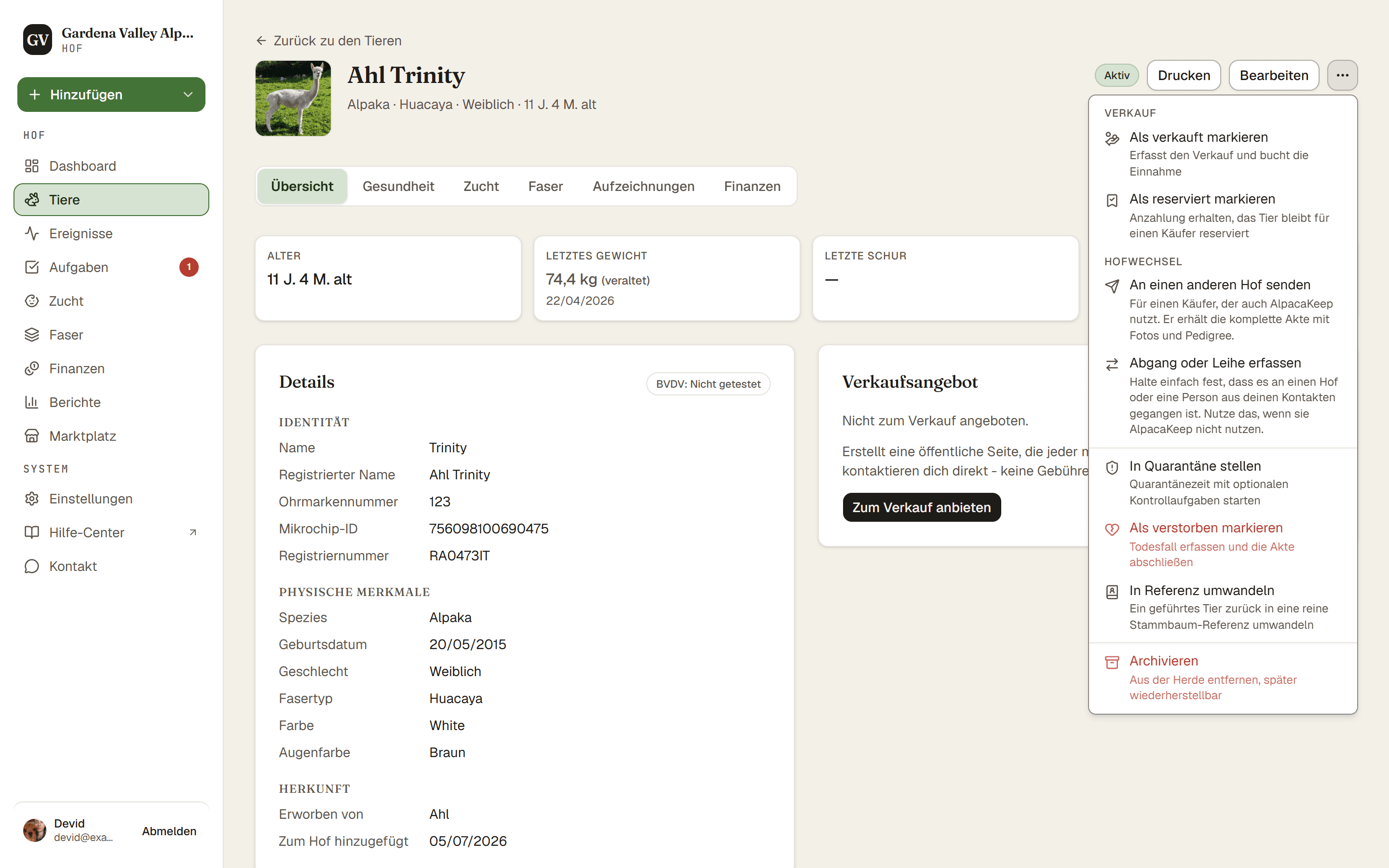
Wenn ein Tier stirbt, öffne es und wähle Als verstorben markieren aus seinem Menü ⋯. Damit wird ein Todesfall mit Details erfasst und der Status des Tieres auf Verstorben gesetzt.
Schritte
- Tiere → (das Tier) → Menü ⋯. Wähle Als verstorben markieren.
- Details hinzufügen. Gib das Todesdatum und die Todesursache ein. Alles andere, etwa Sektion und Entsorgung, findest du unter Optionale Details. Hat sie eine offene Bedeckung, musst du außerdem Wurde ein Cria geboren? beantworten: Ein Cria wurde geboren lässt die Bedeckung offen, damit du gleich die Geburt erfasst, Es wurde kein Cria geboren schließt sie ab.
- Speichern. Drücke im Dialog Als verstorben markieren. Der Status des Tieres wird zu Verstorben.
Gut zu wissen. Bedeckungen ab dem Todestag werden abgesagt, ebenso die geplanten Bedeckungen eines Hengstes nach diesem Tag. Das Formular zeigt sie dir vor dem Speichern.
Was das für dich bewirkt
Einen Todesfall zu erfassen ändert mehr als nur den Status:
- Es setzt den Status auf Verstorben.
- Es nimmt das Tier aus seiner Koppel.
- Es nimmt das Tier von seiner öffentlichen Verkaufsseite.
Gut zu wissen. Die Historie des Tieres bleibt bei dir. Seine Gewichte, Ereignisse, Zuchtdaten und Abstammungs-Verknüpfungen bleiben alle erhalten, sodass das Tier weiterhin in den Stammbäumen seiner Nachkommen auftaucht.
Achtung. Fehler gemacht? Es gibt den Button Todesfall rückgängig machen, der den Todeseintrag entfernt und dem Tier wieder den Status von vorher gibt (meist Aktiv) und es auf seine Koppel zurücksetzt, falls es sie noch gibt. Das können der Inhaber oder der Mitbesitzer tun. Wenn du schnell handelst, geht nichts verloren.