 AlpacaKeep
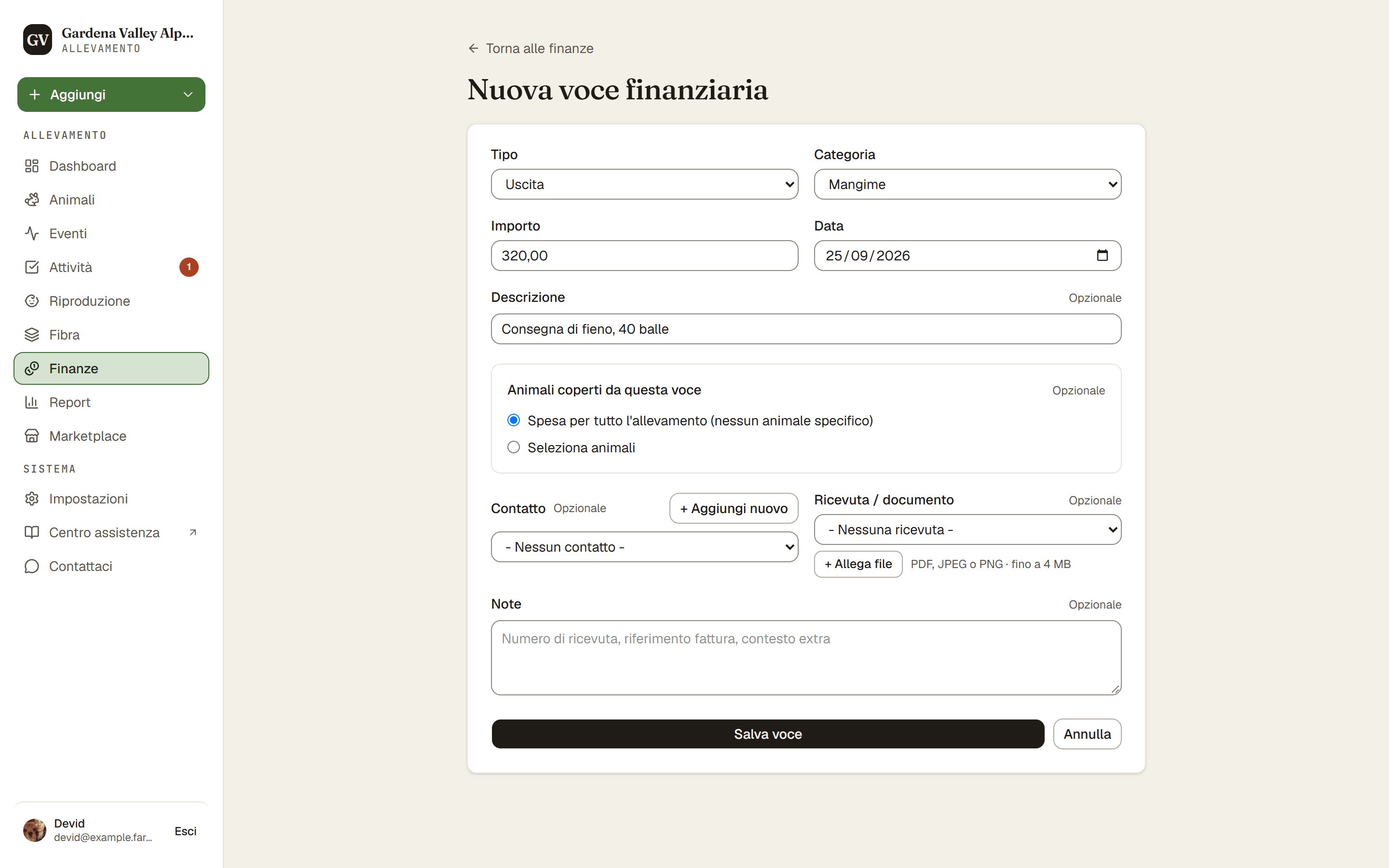
Per registrare denaro in entrata o in uscita, vai su Finanze e premi Nuova voce. Scegli se è un'entrata o un'uscita, inserisci l'importo e salva.
Passi
- Finanze → Nuova voce. Si apre il modulo della voce.
- Tipo. Scegli Entrata o Uscita.
- Categoria. Scegli una categoria, come mangime, veterinario o vendita.
- Importo e Data. Inserisci quanto e quando.
- Descrizione (facoltativa). Aggiungi una breve nota se ti è utile.
- Animali coperti da questa voce. Scegli gli animali a cui si riferisce, oppure scegli Spesa per tutto l'allevamento (nessun animale specifico) per costi condivisi come le recinzioni.
- Ripartizione dei costi (quando scegli più animali, dal piano Farm in su). Scegli Dividi equamente così l'importo si divide in parti uguali, oppure inserisci un Importo per animale per ciascuno. Il Totale in corso deve corrispondere all'importo della voce prima di poter salvare.
- Ricevuta (facoltativa, dal piano Farm in su). Allega una ricevuta o un documento.
- Salva. Premi Salva voce.
Buono a sapersi. Hai eliminato una voce per sbaglio? Subito dopo hai 30 secondi di Annulla, quindi uno scivolone è facile da correggere.
Piano. Le voci finanziarie sono visibili solo al Proprietario e al Co-proprietario. Gli Operai agricoli e i Visualizzatori non possono vedere le Finanze. Vedi Chi può vedere il denaro nel tuo allevamento.
Dal piano Farm in su. Ripartire un costo su più animali e allegare una ricevuta sono inclusi dal piano Farm in su. Lo stesso vale per scegliere un Contatto su una voce, aggiungere categorie tue e i totali per categoria nella pagina Finanze. Registrare le voci, e collegare una voce a un singolo animale, è incluso in ogni piano, e puoi sempre esportare i tuoi movimenti in CSV.