 AlpacaKeep
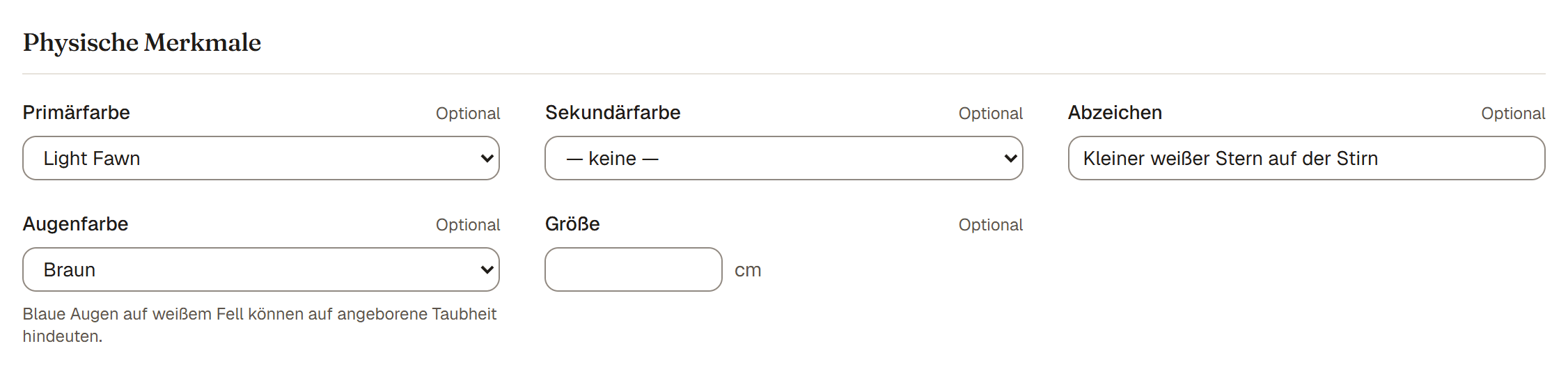
Im Abschnitt Physische Merkmale des Formulars zum Hinzufügen oder Bearbeiten eines Tieres erfasst du, wie ein Tier aussieht: seine Farbe, etwaige Abzeichen und seine Augenfarbe. All das ist optional.
Die Felder
- Primärfarbe und Sekundärfarbe. Diese wählst du aus einer gepflegten Liste, nicht als freien Text, damit die Farben in deiner Herde einheitlich bleiben. Die Liste ist auf die Spezies zugeschnitten, du siehst also nur Farben, die für dieses Tier sinnvoll sind.
- Abzeichen. Freies Textfeld für die weißen oder dunklen Muster im Fell, etwa eine Blesse, weiße Socken oder eine dunkle Schwanzspitze. Das ist getrennt von der Grundfarbe.
- Augenfarbe. Wähle Braun, Blau, Zweifarbig (je eines) oder lass sie auf Unbekannt / nicht gesetzt.
Warum die Augenfarbe wichtig ist
Das ist nicht nur ein Detail. Blaue Augen auf weißem Fell können auf angeborene Taubheit hindeuten. Das heißt, ein Tier kann taub geboren werden. Wenn du es erfasst, kannst du das Wohl des Tieres besser im Blick behalten, und ein ehrlicher Verkäufer legt es einem Käufer offen. Auch wenn du dir nicht sicher bist, lohnt es sich, es zu notieren, damit die Information nicht verloren geht.
Gut zu wissen. Abzeichen sind der richtige Ort für Muster wie Blessen und Socken. Trage den Grundton des Fells in die Auswahlfelder Primärfarbe und Sekundärfarbe ein, damit er durchsuchbar und einheitlich bleibt.