 AlpacaKeep
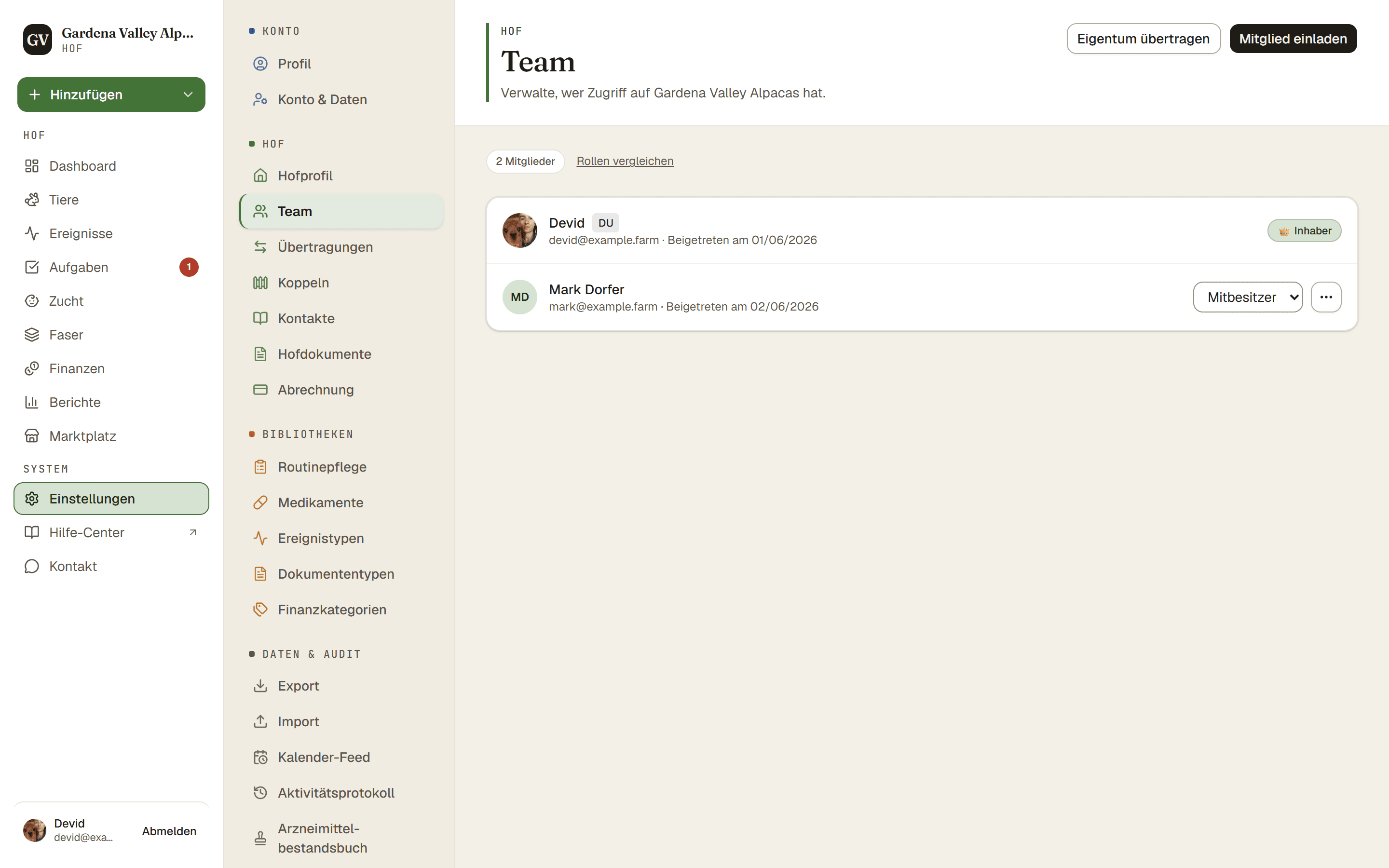
Du kannst Familie und Helfer auf deinen Hof einladen und jeder Person eine Rolle geben. Die Rolle entscheidet, was sie tun darf und ob sie Geld sehen kann. All das verwaltest du unter Einstellungen → Team.
Schritte
- Einstellungen → Team. Öffne die Team-Seite.
- Per E-Mail einladen. Drücke Mitglied einladen und gib die E-Mail-Adresse der Person ein.
- Rolle wählen. Wähle Mitbesitzer, Mitarbeiter oder Betrachter (unten erklärt). Du kannst niemanden als Inhaber einladen. Es gibt einen Inhaber, und die Eigentümerschaft wechselt nur durch Übertragung (siehe unten).
- Einladungslink erstellen. AlpacaKeep verschickt die Einladung nicht für dich. Drücke Link kopieren und sende ihn selbst, per WhatsApp, E-Mail oder über einen anderen Kanal. Der Link ist einmalig und läuft ab.
Geht der Link verloren, ist die Einladung nicht verloren. Wer sich mit der eingeladenen Adresse registriert oder anmeldet, egal in welcher Groß- und Kleinschreibung, findet sie unter Einladungen und kann sie dort ganz ohne Link annehmen. Eine vertippte Adresse lohnt sich deshalb zu korrigieren: Drücke Neuen Link anfordern bei der offenen Einladung.
Die vier Rollen
Was das im Klartext heißt:
- Inhaber. Führt den Hof. Kann alles, einschließlich Abrechnung und der Einstellungen, die nur der Inhaber ändern kann.
- Mitbesitzer. Fast alles, was der Inhaber kann. Erledigt die tägliche Arbeit und kann Geld sehen (Einnahmen, Ausgaben, Kauf- und Verkaufspreise).
- Mitarbeiter. Erledigt die praktische Arbeit: Tiere, Ereignisse, Aufgaben, Zucht, Gewichte und so weiter. Kann kein Geld sehen.
- Betrachter. Kann die nicht-finanziellen Informationen des Hofes ansehen, aber nichts ändern.
Gut zu wissen. Nur Inhaber und Mitbesitzer können Finanzen, Kauf- und Verkaufspreise sowie Versicherungswerte sehen. Das ist im Hintergrund erzwungen, nicht nur ausgeblendet, sodass ein Mitarbeiter oder Betrachter auch auf keinem anderen Weg darankommt.
Achtung. Nur der Inhaber kann die Eigentümerschaft des Hofes an jemand anderen übertragen.