 AlpacaKeep
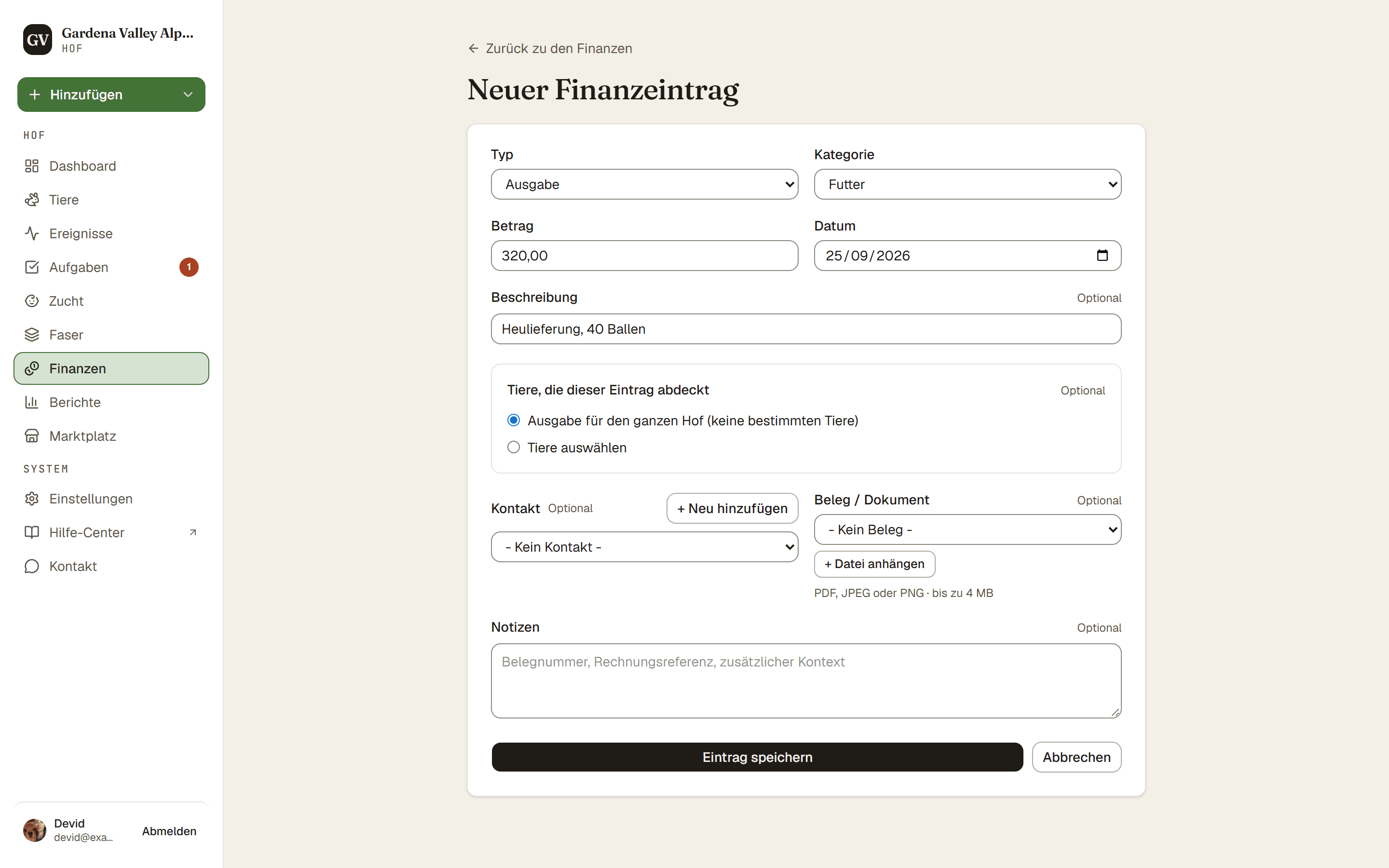
Um Geld ein- oder auszubuchen, geh zu Finanzen und drücke Neuer Eintrag. Wähle, ob es eine Einnahme oder eine Ausgabe ist, gib den Betrag ein und speichere.
Schritte
- Finanzen → Neuer Eintrag. Das öffnet das Eintragsformular.
- Typ. Wähle Einnahme oder Ausgabe.
- Kategorie. Wähle eine Kategorie, zum Beispiel Futter, Tierarzt oder Verkauf.
- Betrag und Datum. Trage ein, wie viel und wann.
- Beschreibung (optional). Füge eine kurze Notiz hinzu, wenn es hilft.
- Tiere, die dieser Eintrag abdeckt. Wähle die Tiere, für die er gilt, oder wähle Ausgabe für den ganzen Hof (keine bestimmten Tiere) für gemeinsame Kosten wie einen Zaun.
- Kostenaufteilung (wenn du mehrere Tiere wählst, ab dem Farm-Tarif). Wähle Gleichmäßig aufteilen, damit sich der Betrag gleich verteilt, oder gib für jedes Tier einen Betrag pro Tier ein. Der laufende Gesamt-Wert muss mit dem Eintragsbetrag übereinstimmen, bevor du speichern kannst.
- Beleg (optional, ab dem Farm-Tarif). Hänge einen Beleg oder ein Dokument an.
- Speichern. Drücke Eintrag speichern.
Gut zu wissen. Aus Versehen einen Eintrag gelöscht? Direkt danach hast du 30 Sekunden lang ein Rückgängig, sodass ein Ausrutscher leicht zu beheben ist.
Tarif. Geldeinträge sehen nur der Inhaber und der Mitbesitzer. Mitarbeiter und Betrachter können die Finanzen gar nicht sehen. Siehe Wer die Finanzen deines Hofs sehen kann.
Ab dem Farm-Tarif. Kosten auf mehrere Tiere aufteilen und einen Beleg anhängen sind ab dem Farm-Tarif enthalten. Das gilt auch für einen Kontakt bei einem Eintrag, eigene Kategorien und die Summen nach Kategorie auf der Seite Finanzen. Einträge erfassen und einen Eintrag mit einem einzelnen Tier verknüpfen ist in jedem Tarif enthalten, und du kannst deine Einträge jederzeit als CSV exportieren.