 AlpacaKeep
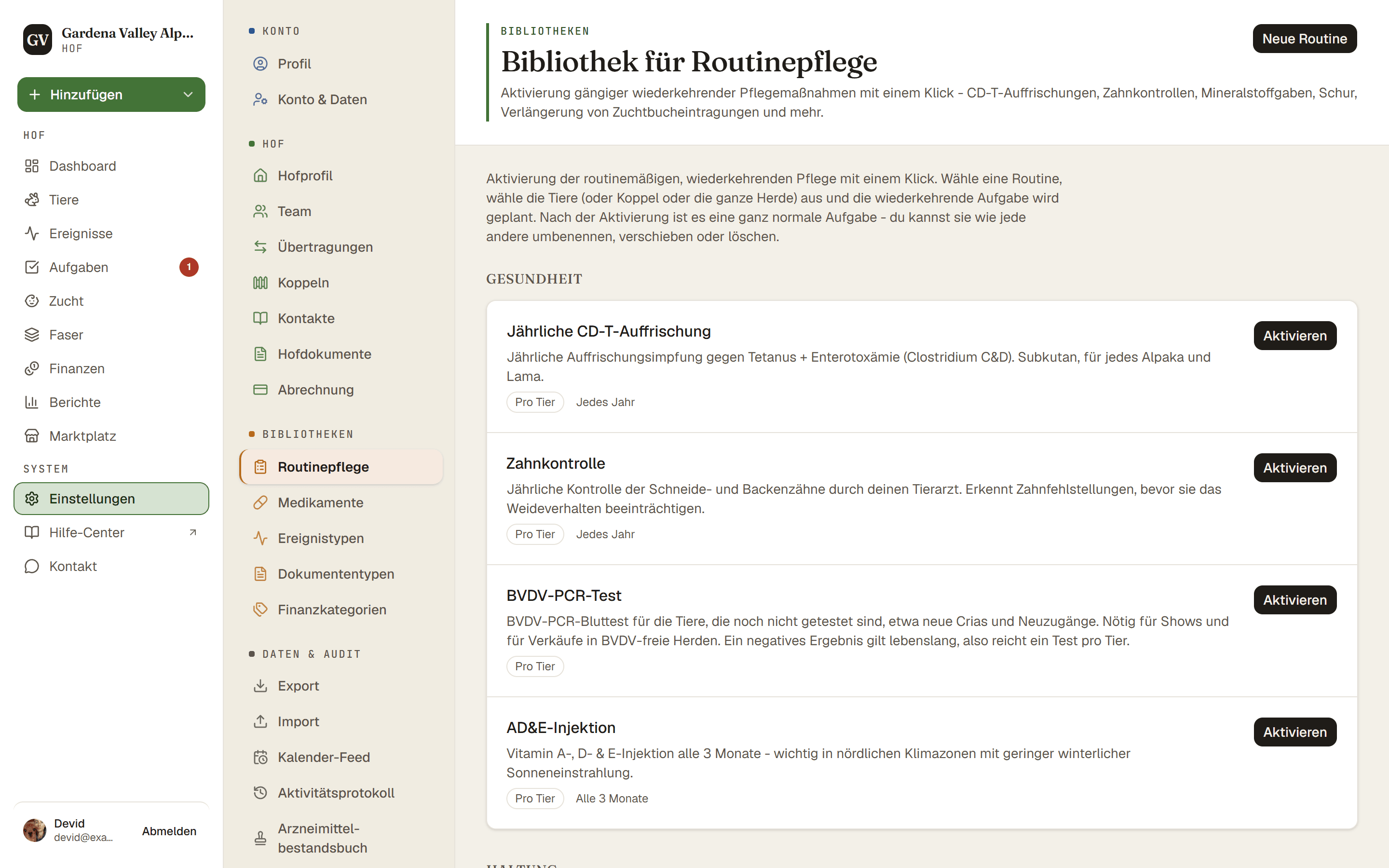
Eine Routine ist eine gespeicherte Aufgabe, die du wiederverwenden kannst. Gehe zu Einstellungen → Routinepflege, um sie zu sehen. AlpacaKeep gibt dir 12 fertige Routinen, und du kannst eigene hinzufügen.
Warum Routinen
Manche Arbeiten kommen immer wieder, etwa eine jährliche Impfung oder ein monatliches Nägelschneiden. Statt dieselbe Aufgabe jedes Mal einzutippen, speicherst du sie einmal als Routine. Dann machst du daraus mit einem Klick echte Aufgaben, wann immer du sie brauchst.
Schritte
- Einstellungen → Routinepflege (oder Aufgaben → ⋯ → Routinen). Du siehst die 12 fertigen Routinen plus alle, die du gespeichert hast. Deine eigenen Routinen tragen das Kennzeichen Hof, damit du sie leicht erkennst.
- Neue Routine (optional). Gib ihr einen Routinename, lege unter Gilt für fest, für wen sie gilt, und stell, wenn du willst, die Wiederholung ein. Die 12 fertigen bleiben schreibgeschützt, du kannst sie also nicht bearbeiten.
- Aktivieren. Drücke bei einer Routine auf Aktivieren. Was dann abgefragt
wird, hängt davon ab, für wen die Routine gilt:
- Pro Tier erstellt eine Aufgabe für jedes Tier, das du auswählst.
- Pro Koppel erstellt eine Aufgabe und erfasst die Tiere, die jetzt gerade auf der Koppel sind, sodass spätere Umzüge daran nichts ändern.
- Ganze Herde erstellt eine Aufgabe für den Hof.
- Fertig. Die neuen Aufgaben erscheinen in deiner Liste Aufgaben, bereit zur Bearbeitung.
Gut zu wissen. Wenn du eine Routine für eine Koppel aktivierst, wird der Koppelname zum Aufgabentitel hinzugefügt, damit sich zwei Koppeln unterscheiden lassen.