 AlpacaKeep
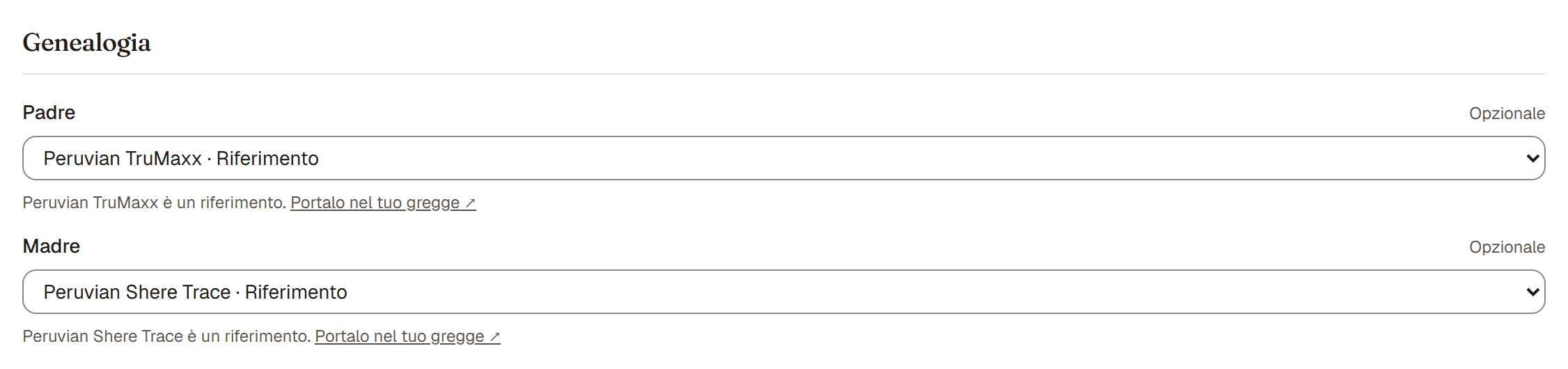
Nel modulo di modifica di un animale, e in quello di un animale di riferimento, i campi Padre e Madre impostano i genitori. Ognuno è un solo campo nome: scrivi il nome, poi collega un animale salvato o tieni solo il nome. Lascialo vuoto se non lo sai.
Scrivi un nome
Mentre scrivi, sotto il campo compaiono gli animali salvati che corrispondono: animali del tuo gregge (con Il tuo gregge) e animali di riferimento (con Riferimento). Maiuscole e accenti non contano, e basta una parte del nome.
- Collega un animale salvato. Premi Usa accanto a quello giusto. Il campo mostra poi l'animale collegato. Collegare è ciò che alimenta l'albero genealogico e il calcolo della consanguineità (COI). Un riferimento non consuma il limite del tuo piano.
- Tieni solo il nome. Se il genitore non è salvato, scrivi il nome e lascialo così. Il nome compare nel pedigree ma non è cliccabile. I nomi che hai scritto su altri animali compaiono come Solo nome, così i fratelli hanno la stessa grafia.
- Cambia idea. Premi Cambia su un animale collegato per scrivere di nuovo.
Buono a sapersi. Collega un animale salvato ogni volta che puoi. Un animale collegato si connette all'albero genealogico e conta nel calcolo della consanguineità. Un nome scritto a mano è solo testo.
Passi
- Apri l'animale e scegli Modifica.
- Scorri fino a Padre e Madre.
- Scrivi il nome. Premi Usa su un animale salvato, oppure lascia il nome così.
- Salva.
Suggerimenti utili
- Quando tieni solo un nome, vedi "Questo genitore si ripresenterà? Salva come animale di riferimento." Toccalo per trasformare quel nome in un riferimento riutilizzabile, così puoi collegarlo anche su altri animali.
- Se hai collegato un riferimento, potresti vedere "Portalo nel tuo gregge." Toccalo per trasformare quel riferimento in un animale tracciato completo del tuo gregge.