 AlpacaKeep
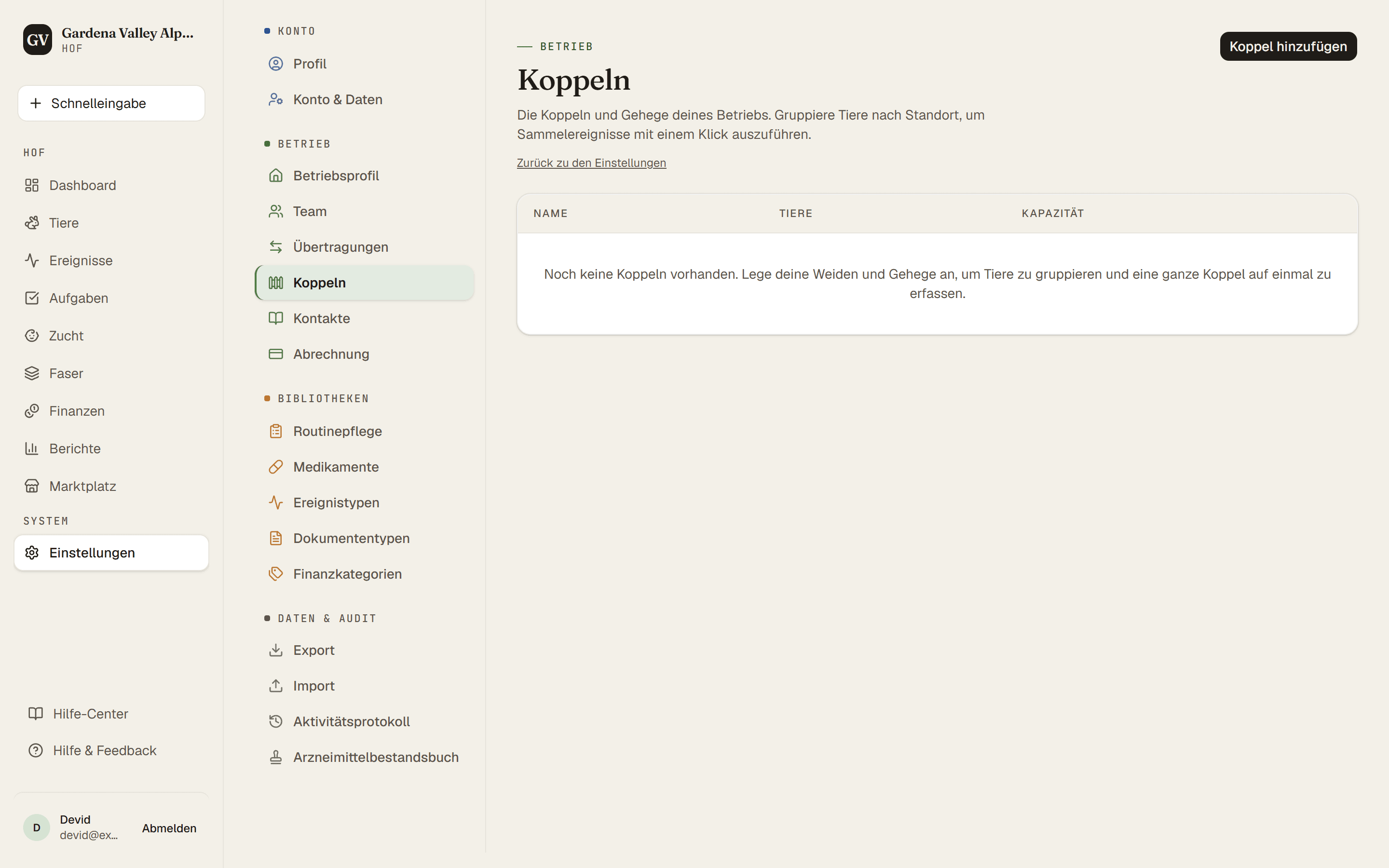
Koppeln sind deine Felder und Weiden in AlpacaKeep. Benenne sie unter Einstellungen → Koppeln und verschiebe dann Tiere hinein. So behältst du den Überblick, wer wo ist.
Schritte
- Einstellungen → Koppeln. Lege für jedes Feld oder jede Weide eine Koppel an und gib ihr einen Namen (etwa „Nordkoppel“).
- Tiere → (ein Tier öffnen) → Tab Übersicht. Nutze Auf Koppel verschieben, um das Tier in eine deiner Koppeln zu setzen.
- Fertig. Das Tier zeigt jetzt, auf welcher Koppel es ist, und die Koppel weiß, wer dort lebt.
Warum das nützlich ist
- Wer wo ist auf einen Blick sehen.
- Koppel-Routinen. Wenn du eine Routine für eine ganze Koppel startest, kann AlpacaKeep die Tiere nehmen, die gerade auf dieser Koppel leben. So gilt „Mineralfutter nachfüllen“ mit einem Mal für alle auf der Nordkoppel.
Tipp. Du musst Koppeln nicht zuerst einrichten. Während du ein Tier hinzufügst, kannst du direkt im Formular eine Koppel anlegen und das Tier gleichzeitig hineinsetzen.
Eine Gruppe verschieben. Hake auf der Seite Tiere die Tiere an (auf dem Handy tippst du zuerst auf Auswählen) und wähle dann in der Leiste unten Auf Koppel verschieben. Auf dem Handy steht es unter Mehr. Tiere, die schon auf dieser Koppel sind, bleiben, wo sie sind.
Eine Koppel nicht mehr in Gebrauch? Wähle unter Einstellungen → Koppeln Ausblenden. Sie verschwindet aus allen Auswahllisten und Filtern, der Bewegungsverlauf bleibt, und du kannst sie jederzeit mit Einblenden zurückholen. Löschen geht nur bei einer Koppel, die kein Tier und keine Bewegung nutzt.