 AlpacaKeep
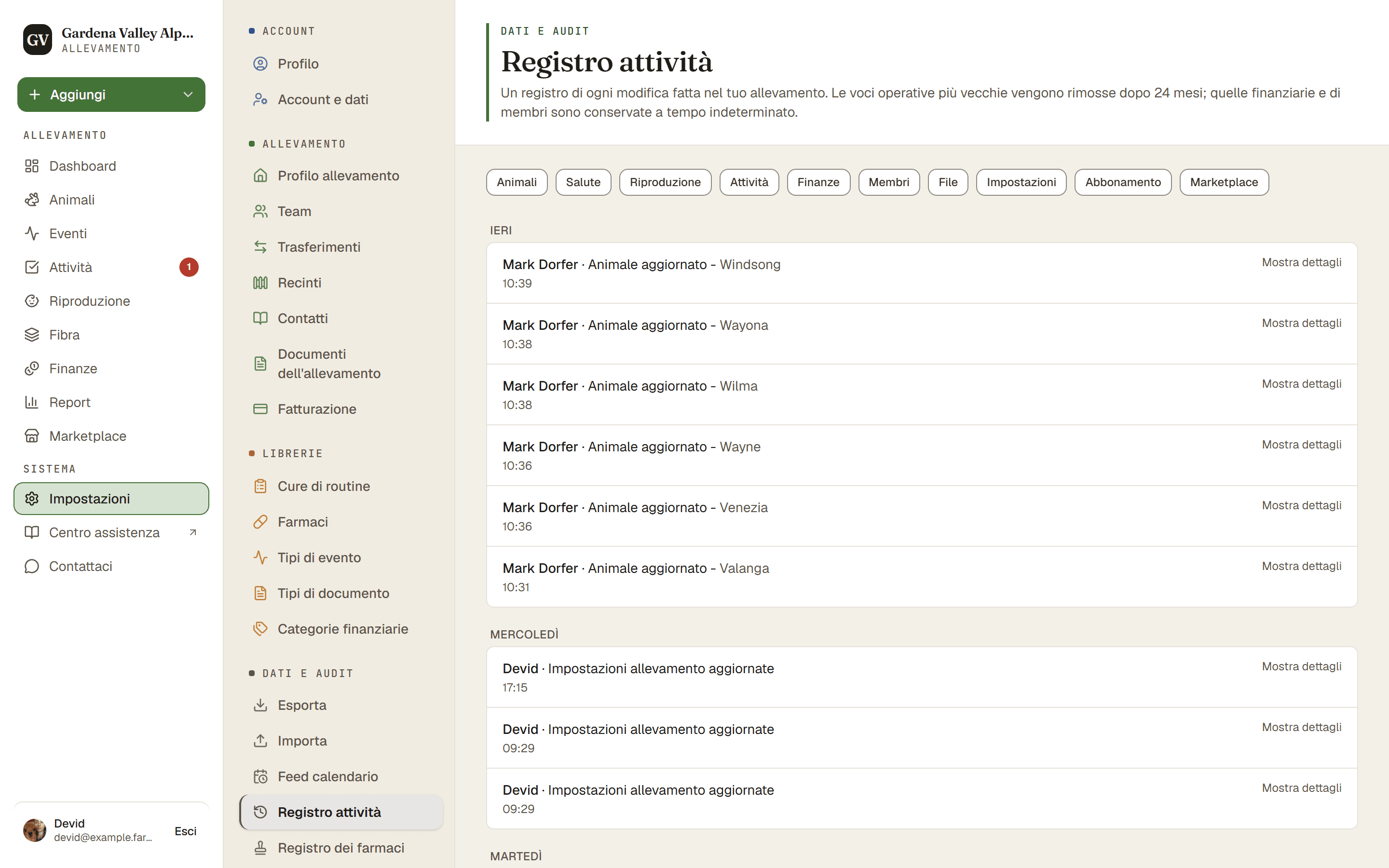
Il registro attività è il diario storico del tuo allevamento. Vai su Impostazioni → Registro attività per vedere chi ha fatto cosa e quando: un animale aggiunto, un evento registrato, un ruolo cambiato e così via. È più utile quando più di una persona lavora nell'allevamento.
Cosa mostra
Ogni riga è una modifica, con chi l'ha fatta e quando. Esempi:
- Un animale è stato aggiunto o aggiornato.
- Un evento o un peso è stato registrato.
- Il ruolo di un membro del team è stato cambiato.
- Un animale è stato venduto o segnato come deceduto.
Passi
- Impostazioni → Registro attività. Questo apre la storia completa del tuo allevamento.
- Scegli una o più categorie in alto, come Animali o Salute, per vedere solo quelle modifiche.
- Carica altri. Premilo in fondo all'elenco per vedere le modifiche più vecchie.
Buono a sapersi
- Una versione ridotta compare in altri due punti. La tua Dashboard mostra una scheda "Attività recente", e la scheda Archivio di ogni animale mostra l'attività recente solo per quell'animale.
- Gli orari usano il fuso orario del tuo allevamento, così "oggi" coincide con la tua giornata, non con l'orologio del server.
Suggerimento. Lavori in squadra? Il registro attività è il modo più rapido per rispondere a "chi ha cambiato questo?" senza chiedere in giro.