 AlpacaKeep
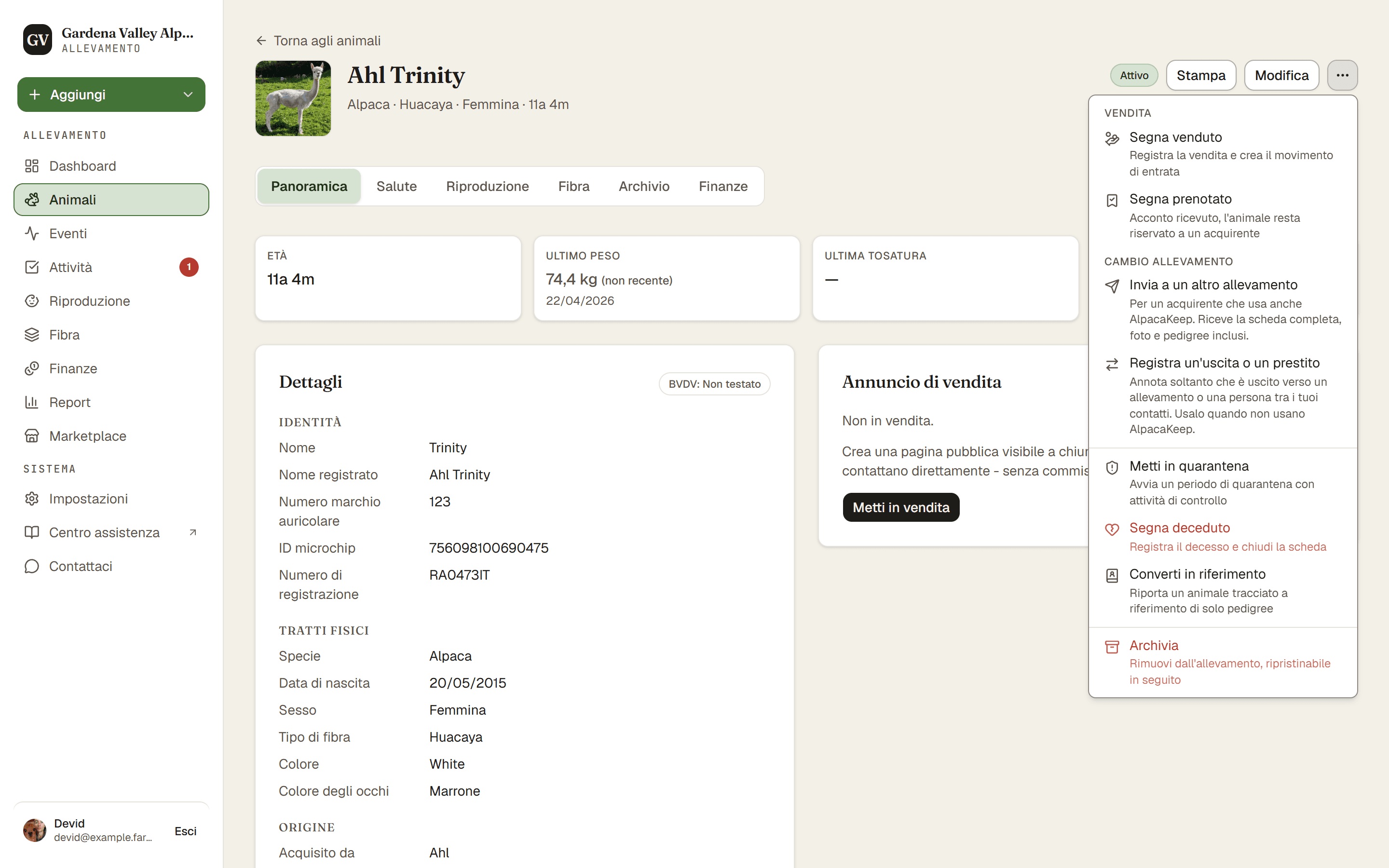
Quando un animale muore, aprilo e usa Segna deceduto dal menu ⋯. Questo registra un decesso con i dettagli e imposta lo stato dell'animale su Deceduto.
Passi
- Animali → (l'animale) → menu ⋯. Scegli Segna deceduto.
- Aggiungi i dettagli. Inserisci la Data del decesso e la Causa del decesso. Tutto il resto, come necroscopia e smaltimento, si trova in Dettagli facoltativi. Se lei ha una monta aperta, devi anche rispondere a È nato un cria?: È nato un cria lascia la monta aperta così registri subito il parto, Non è nato nessun cria la chiude.
- Salva. Premi Segna come deceduto. Lo stato dell'animale diventa Deceduto.
Buono a sapersi. Le monte con data dal giorno del decesso in poi vengono annullate, e così le monte pianificate di un maschio dopo quel giorno. Il modulo te le elenca prima di salvare.
Cosa fa per te
Registrare un decesso fa più che cambiare lo stato:
- Imposta lo stato su Deceduto.
- Toglie l'animale dal suo recinto.
- Toglie l'animale dalla sua pagina di vendita pubblica.
Buono a sapersi. La storia dell'animale resta con te. I suoi pesi, eventi, record di monta e collegamenti del pedigree vengono tutti conservati, così l'animale compare ancora negli alberi genealogici dei suoi discendenti.
Attenzione. Hai sbagliato? C'è un pulsante Annulla decesso che rimuove la registrazione del decesso e riporta l'animale allo stato che aveva prima (di solito Attivo) e al suo recinto, se esiste ancora. Possono farlo il Proprietario o il Co-proprietario. Non perdi nulla se agisci in fretta.