 AlpacaKeep
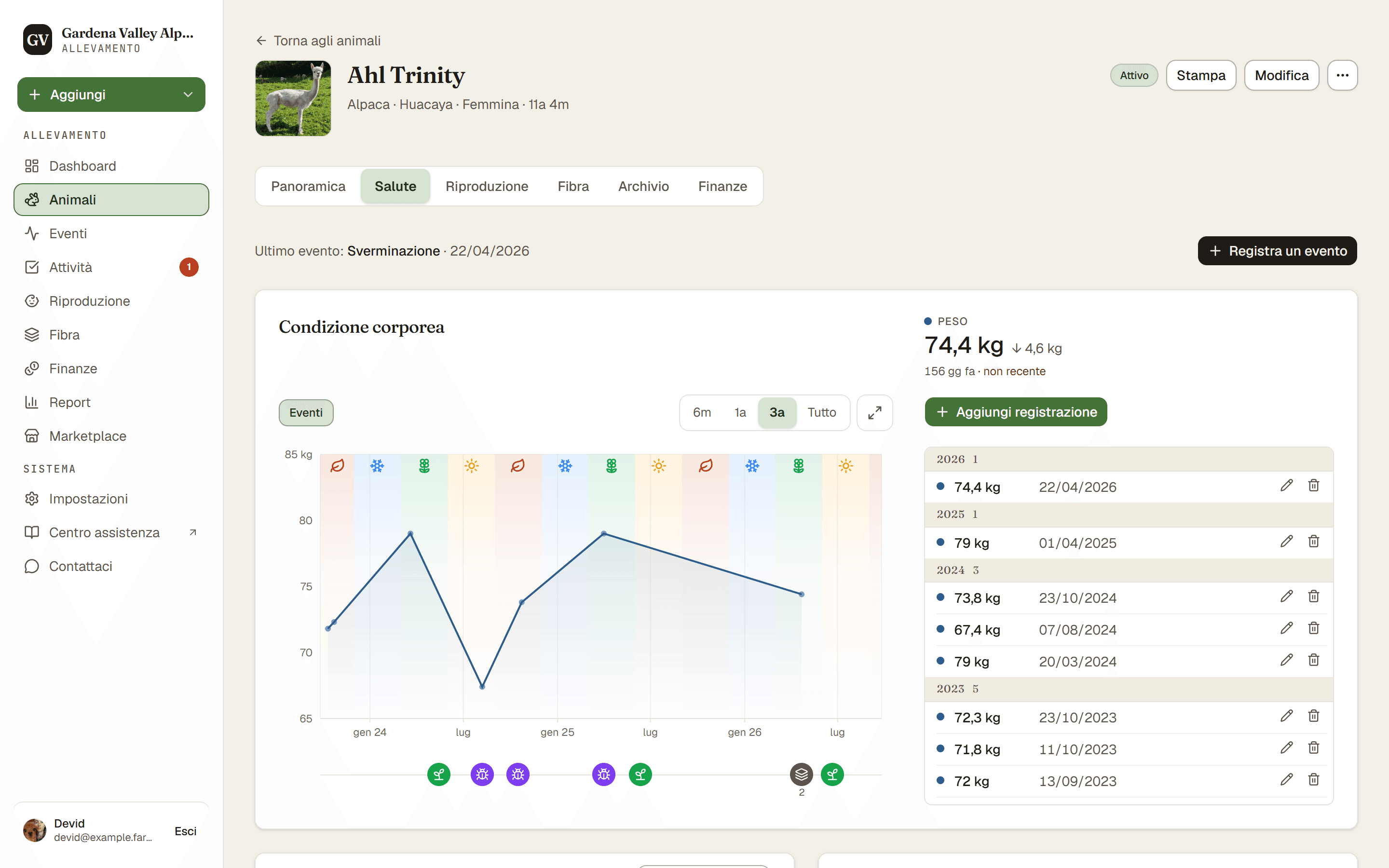
Per registrare un peso, apri un animale, vai alla scheda Salute e usa la scheda della condizione corporea. Puoi registrare solo un peso, oppure un peso più un punteggio di condizione corporea in un colpo solo.
Passaggi
- Animali → (un animale) → scheda Salute. Trova la scheda della condizione corporea.
- Aggiungi registrazione. Controlla la Data, che è obbligatoria, e inserisci il peso. Se la casella del peso non si vede, premi + Aggiungi un peso.
- Aggiungi un BCS (facoltativo). Scegli un Punteggio di condizione corporea se hai valutato anche l'animale. Se non si vede, premi + Aggiungi un punteggio. Puoi salvare un peso, un punteggio o entrambi.
- Salva registrazione. La registrazione viene aggiunta allo storico dell'animale.
Cosa significa BCS
BCS sta per punteggio di condizione corporea (body condition score). Indica quanto grasso e muscolo porta un animale, sulla scala camelide da 1 a 5, con incrementi di mezzo punto (quindi 2,5, 3,0, 3,5 e così via). È qualcosa che senti con le mani, perché il vello fitto nasconde la vera forma del corpo. La fascia sana va da 2,5 a 4,0. Sotto o sopra vale la pena guardare più da vicino.
Pesa più animali in una volta sola
Per un intero gruppo, usa la pesatura di gruppo. Apri Aggiungi → Pesa gli animali, scegli gli animali che vuoi, inserisci un peso (ed eventualmente un BCS) per ognuno, poi salvali tutti insieme.
Buono a sapersi. I pesi si mostrano nell'unità del tuo allevamento, kg o lb. La imposti una sola volta in Impostazioni → Profilo allevamento, e ogni membro dell'allevamento vede la stessa unità.