 AlpacaKeep
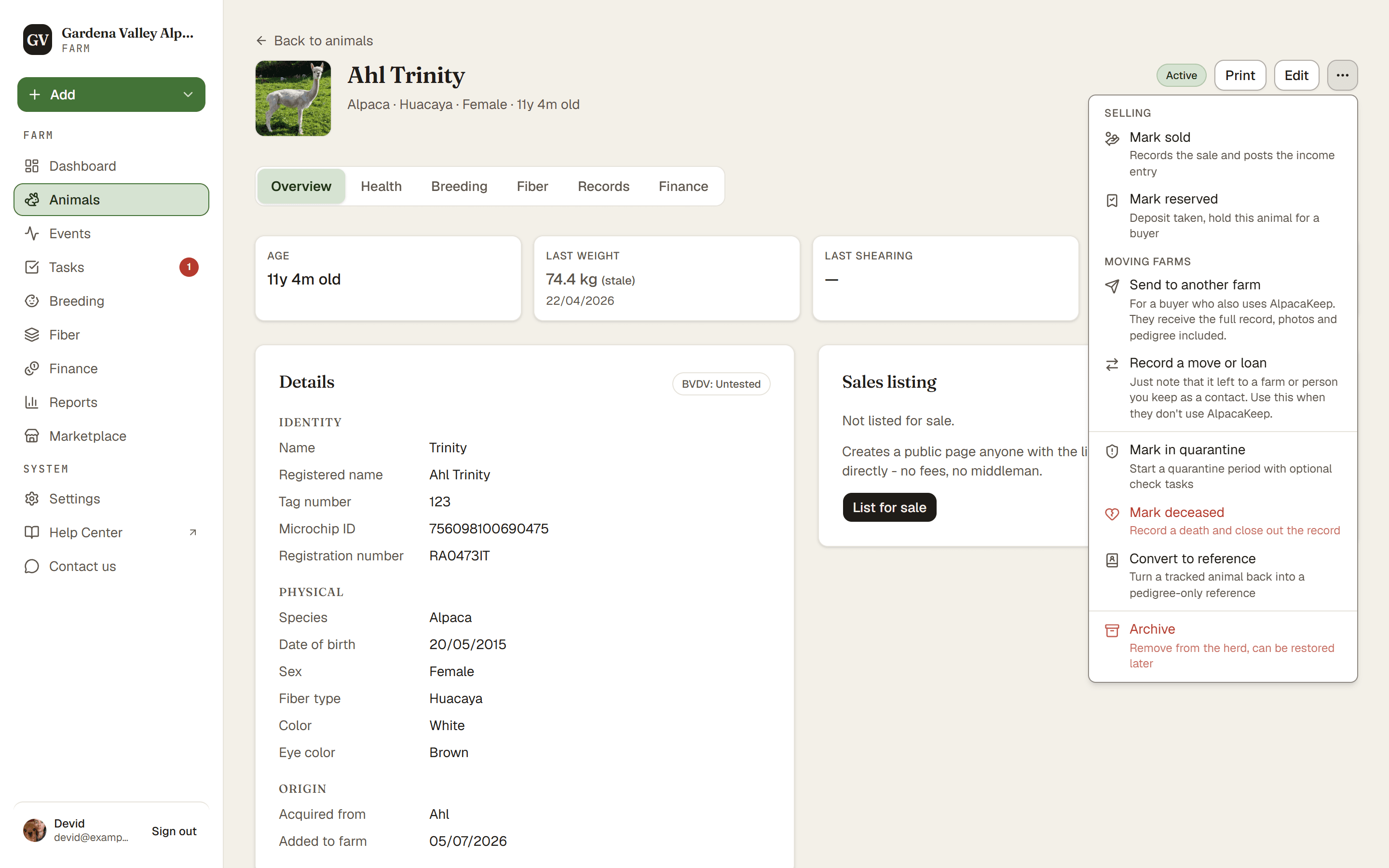
When an animal dies, open it and use Mark deceased from its ⋯ menu. This records a death with details and sets the animal's status to Deceased.
Steps
- Animals → (the animal) → ⋯ menu. Choose Mark deceased.
- Add the details. Enter the Death date and the Cause of death. Everything else, like necropsy and disposal, sits under Optional details. If she has an open mating, you must also answer Was a cria born?: A cria was born keeps the mating open so you can record the birth next, No cria was born closes it.
- Save. Press Mark as deceased. The animal's status becomes Deceased.
Good to know. Matings dated on or after the death date are cancelled, and so are a male's planned matings after that day. The form lists them before you save.
What this does for you
Recording a death does more than change the status:
- It sets the status to Deceased.
- It clears the animal out of its paddock.
- It takes the animal off its public sale page.
Good to know. The animal's history stays with you. Its weights, events, breeding records, and pedigree links are all kept, so the animal still appears in the family trees of its offspring.
Watch out. Made a mistake? There's an Undo death button that removes the death record and brings the animal back to the status it had before (usually Active) and to its paddock, if that paddock still exists. The Owner or Co-Owner can do this. You don't lose anything by acting quickly.