 AlpacaKeep
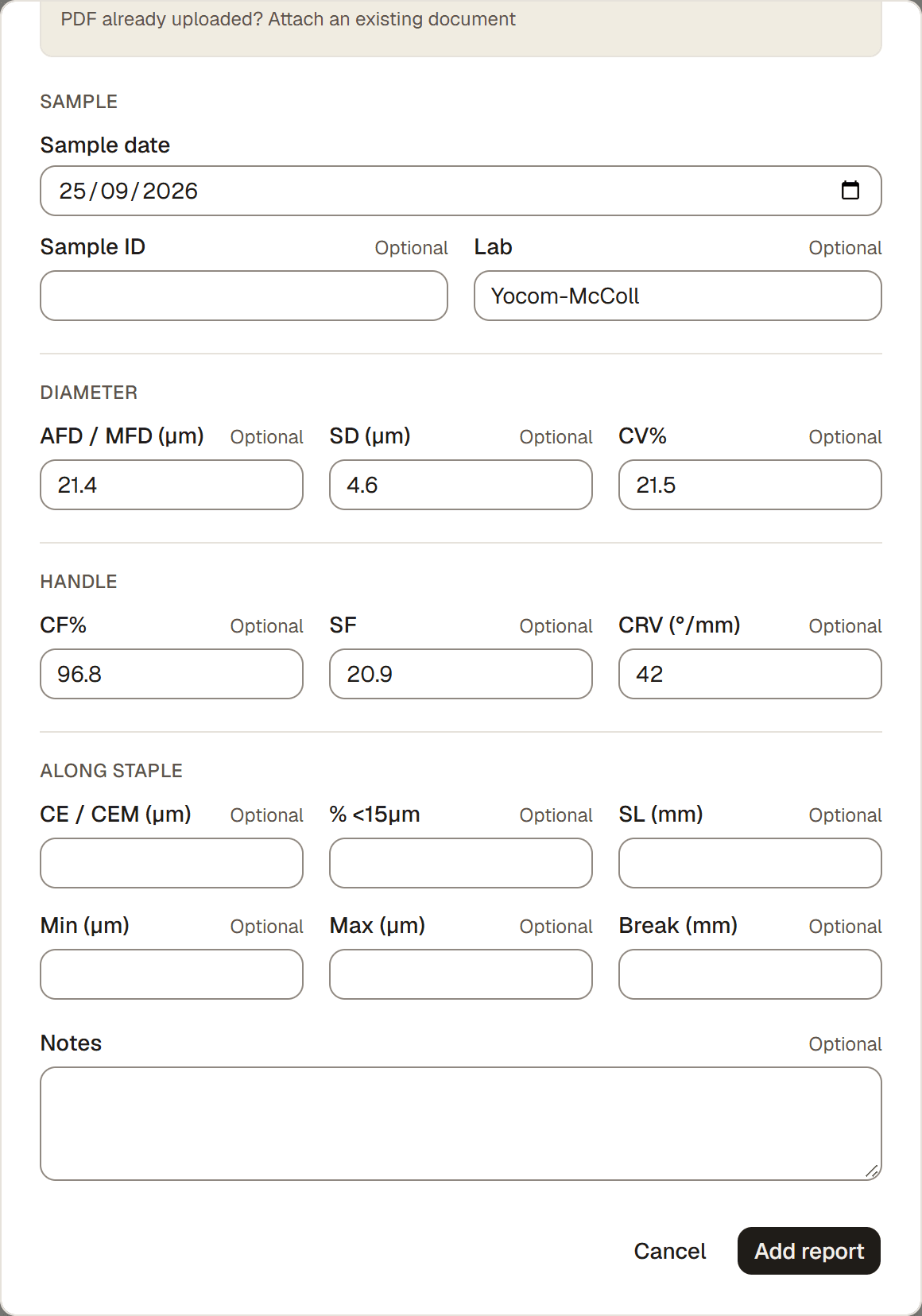
To add a fiber lab report, open the animal and go to its Fiber tab, then choose Add fiber lab report. You can upload the lab's PDF and let AlpacaKeep fill in the numbers, or type them in yourself. Recording a report per animal is free on every plan.
Steps
- Animals → open an animal → Fiber tab.
- Add fiber lab report. This opens the report form. If you recorded a sample at shearing, you can also start from its Upload result button.
- Upload the lab PDF if you have one. AlpacaKeep reads it and fills in the numbers for you. Save stays unavailable until reading finishes, and values you type yourself are kept.
- Choose the sample. AlpacaKeep may suggest a sample with a matching date, but you confirm the link. The saved link keeps the result with the correct shearing, not the year or the newest report.
- Check the document and numbers. The exact document title is shown before saving. Confirm it belongs to this animal, then fix anything that did not come through or enter the values by hand.
- Save. The report is added to this animal's Fiber tab and, when selected, linked to its sample.
Tip. Uploading the PDF is the fastest way. The numbers fill in for you, and you keep the original report attached to the animal.
If two documents have the same title, the picker also shows their upload dates so you can tell them apart.
Record the sample before the result arrives
When you log a shearing, turn on Took fiber sample for lab. This creates a pending sample on the animal's Fiber tab, on every plan. On the Farm plan or higher it also shows on the farm-wide Fiber page. The lab result can arrive weeks, months, or even a later calendar year: choose Upload result from that pending sample and confirm the link in the report form.
Several reports can be linked to one sample when a lab reruns or corrects a test. A linked sampling record cannot be cleared or deleted until its reports are unlinked.
Older records
Existing shearings remain unchanged when this feature is enabled. Older records already marked sample taken become pending samples automatically. Existing lab reports stay safely unlinked; AlpacaKeep can suggest likely matches by date, but it never guesses and saves those links without your confirmation. If an older shearing included a sample but was not marked, edit it once, enable Took fiber sample for lab, then link the report.
What plan you need
Recording a fiber report on a single animal is free on every plan, including Free.
Plan. The farm-wide Fiber section, which charts and ranks your whole herd's fiber, needs the Farm plan. This article (adding one report to one animal) does not.