 AlpacaKeep
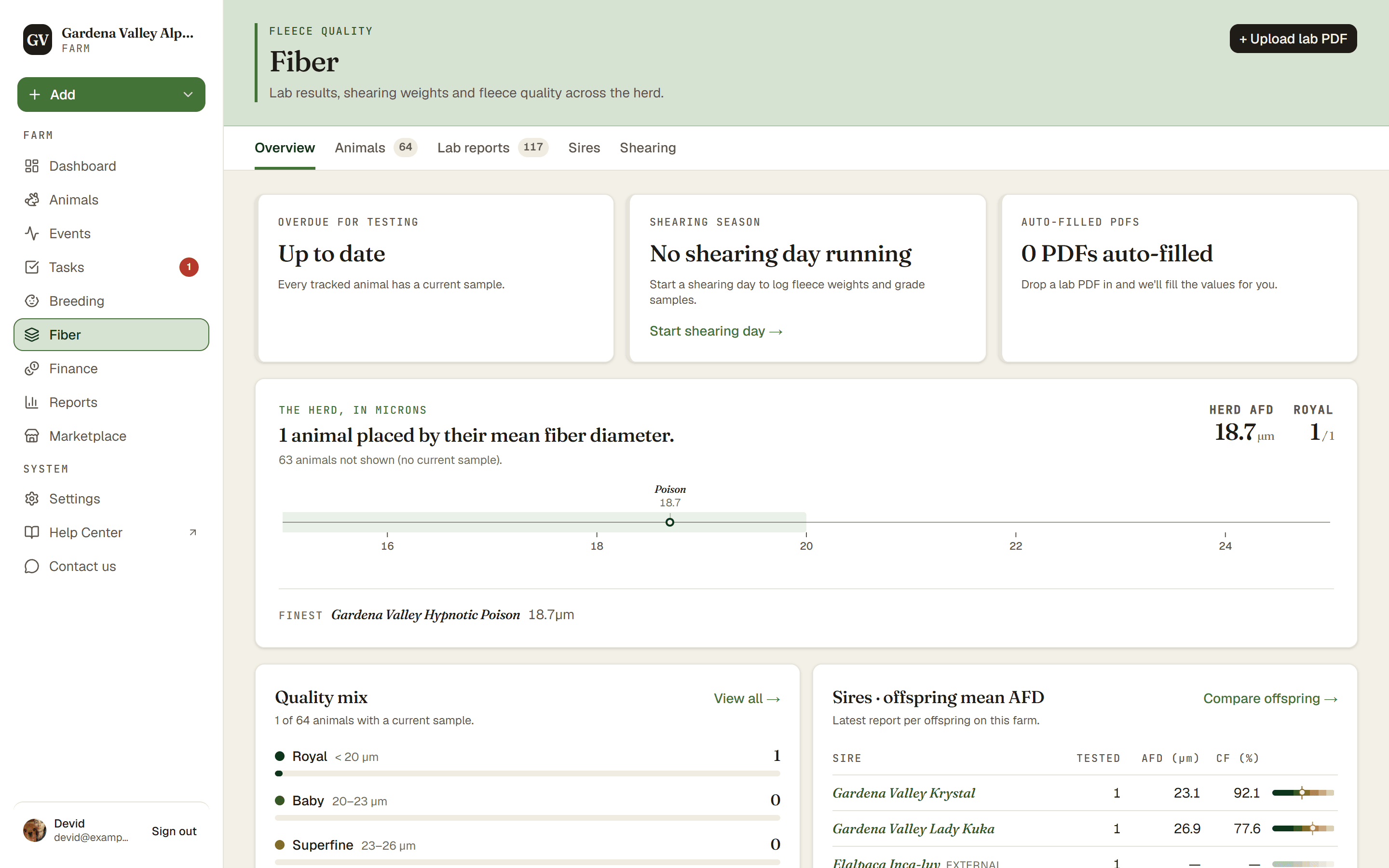
The farm-wide Fiber section sorts your whole herd by fiber quality and flags animals that are overdue for testing, so you can see at a glance who needs a fresh sample.
Plan. The Fiber section needs the Farm plan. Recording a fiber report on a single animal stays free on every plan (see Add a fiber lab report).
Track samples through the lab
The Shearing tab follows each season from Shorn → Samples taken → Results back. A sample recorded during shearing appears as pending until you upload and confirm its report. Start with Upload result on the pending row for the simplest workflow.
AlpacaKeep may show a possible match for older, unlinked reports. A date match is only a suggestion: it does not count as a returned result until you review and confirm it. See Add a fiber lab report for the complete workflow.
What "overdue for testing" means
An animal is marked overdue for testing when its last fiber sample is more than 365 days old. It is a nudge to test again, not a problem with the animal.
Good to know. An animal that has never had a fiber report is not flagged as overdue. The first sample is what opts an animal in. Until then, AlpacaKeep leaves it alone.
Opting an animal out
Some animals do not need yearly testing: pets, trekking animals, or any animal you no longer sample. You can turn off tracking for them.
In the farm-wide Fiber section, open the animal to see its detail panel, then use Stop tracking to opt it out (and Resume tracking to bring it back). Once tracking is off, that animal will not show up as overdue.
Putting it together
- No sample ever → never flagged.
- Has a sample, tracking on, more than 365 days old → flagged overdue.
- Sold, deceased, or transferred → never flagged, and no longer listed in the section's herd views; their lab reports stay under Lab reports and on the animal's own profile.
- Tracking off → never flagged, even past 12 months.