 AlpacaKeep
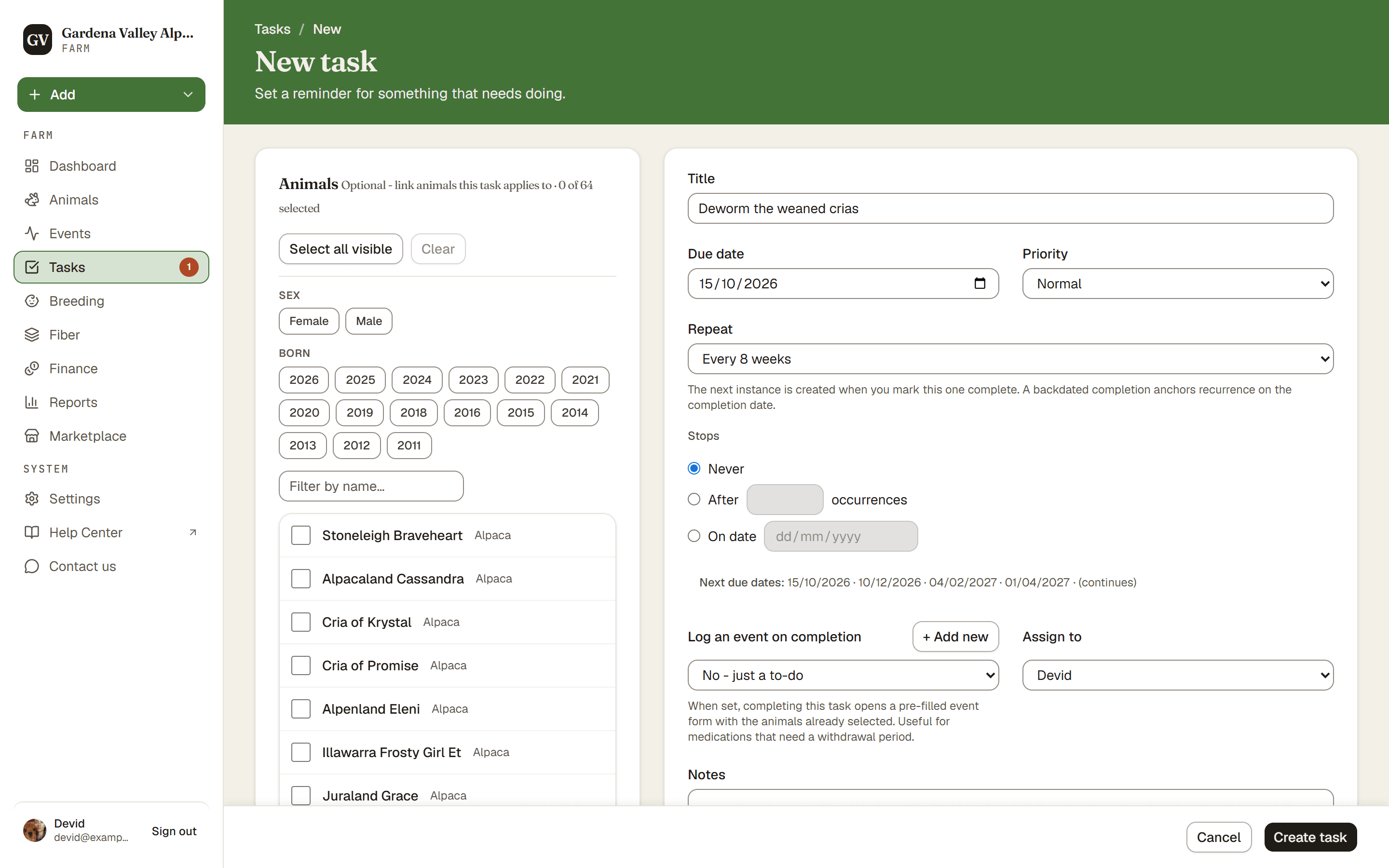
To make a task, go to Tasks and press New task. Give it a title and a due date, and you are done. Everything else is optional.
Steps
- Tasks → New task. This opens the new-task form.
- Title and Due date. Type what needs doing and pick when it is due. The title is required, and a repeating task also needs a due date.
- Priority. Pick Low, Normal, High, or Urgent. This just helps you sort and spot the important jobs.
- Notes (optional). Add any extra details under Notes.
- Link an event type (optional). If finishing this task means logging an event, like a vaccination, pick it under Log an event on completion. Then completing the task opens a pre-filled event form for you.
- Assign it (optional). Pick a farm member under Assign to so they know it is theirs.
- Add animals (optional). Tie the task to one or more animals, so it shows up on their pages too.
- Create task. The task lands on your Tasks list.
Make it repeat
Open the Repeat dropdown to set a schedule. Your choices are:
Then pick when it stops, under Stops:
- Never, so it runs forever (the default), or
- After N occurrences (stop after that many tasks), or
- On date (stop after this day).
Good to know. A repeating task does not fill your list with future copies. The next one only appears when you mark the current one done. See How repeating tasks work.