 AlpacaKeep
AlpacaKeep is organized around a main menu down the side (or along the bottom on your phone). Here is what each part does, so you can find your way around fast.
The main menu
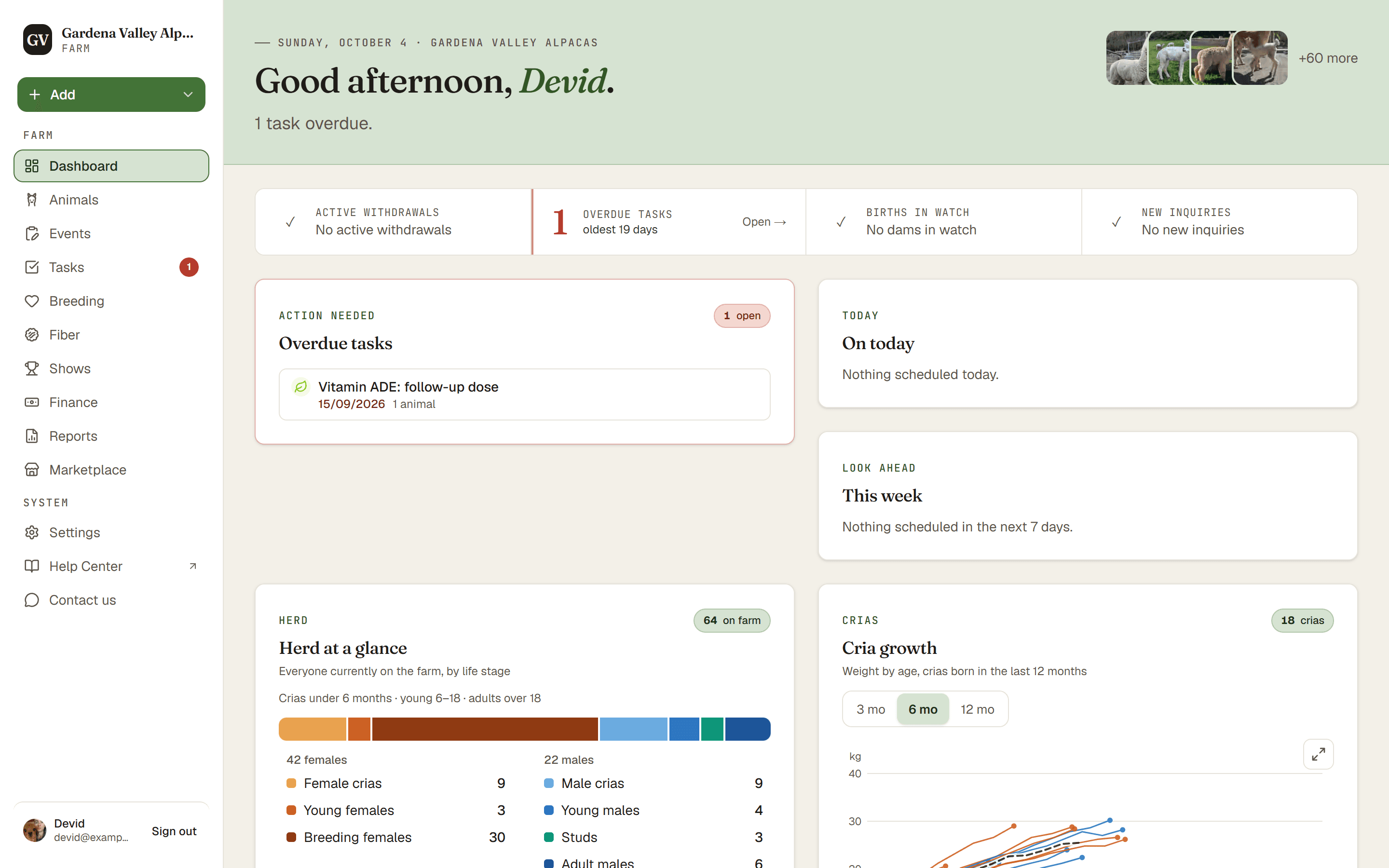
In order, the menu items are:
- Dashboard. Your home screen, a quick look at what needs attention.
- Animals. Your whole herd. Add, view, and edit each animal.
- Events. The record of what already happened, like the vaccination day you finished this morning. Log to a group of animals at once.
- Tasks. Your to-do list for what is still ahead, including jobs that repeat.
- Breeding. Pregnancies, mating plans, and births.
- Fiber. Fleece lab reports and shearing across the farm.
- Shows. Show days and results. This item appears once your farm has a show result.
- Finance. Income and expenses. This only shows for the Owner and Co-Owner.
- Reports. Herd-wide lists you check weekly, like weight loss.
- Marketplace. Everything about selling, in four tabs: Listings, your Public profile (your logo, cover image, and how you describe your farm to buyers), Inquiries from buyers, and the Website widget for your own website.
- Settings. Your farm setup, team, and data tools.
Good to know. The Finance menu item is hidden from Farmhands and Viewers. Only the Owner and Co-Owner can see money. The Public profile, Inquiries and Website widget tabs inside Marketplace follow the same rule.
What the Dashboard shows
The Dashboard is your at-a-glance screen. It pulls together cards for the things that need you: Overdue tasks, Births in watch (dams getting close to term), and Weight loss flagged. The row of counters at the top also shows Active withdrawals. There is also a recent activity card at the bottom. Most cards hide themselves when there is nothing to show, so a quiet Dashboard is a good sign.
On your phone
On a small screen the menu moves to a bar across the bottom. You get quick tabs for Tasks, Animals, and Events, a round + button in the middle for adding things (if you can make changes), plus a More button that holds everything else. The More button shows a small badge when something needs your attention.
Tip. Each animal has its own profile with six tabs (Overview, Health, Breeding, Fiber, Records, Finance), or seven once your farm records shows. Finance is only there for the Owner and Co-Owner. Those are explained in their own article.