 AlpacaKeep
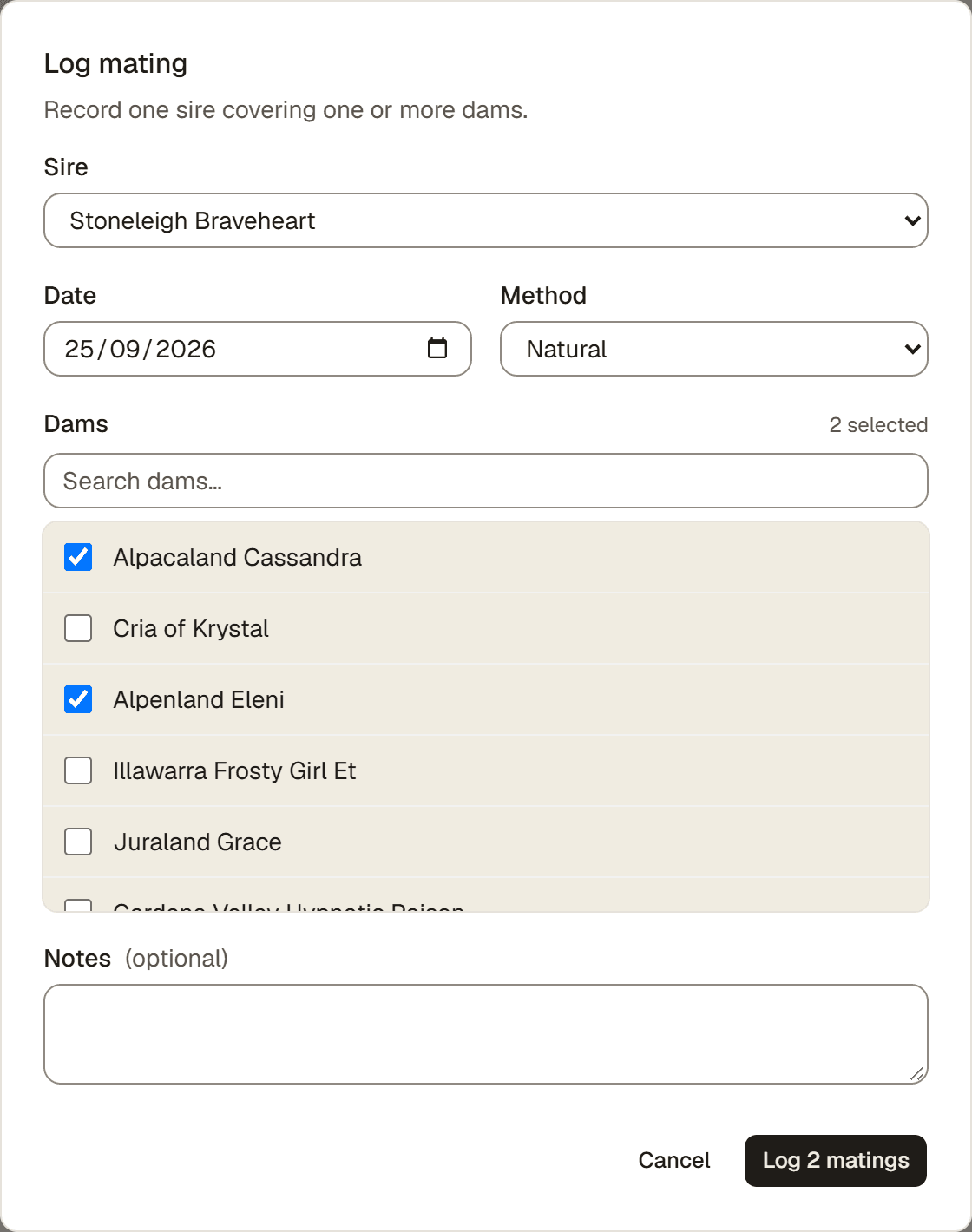
To log a mating, go to the Breeding hub and press Log mating. This records one sire covering one or more dams. Each dam you pick gets its own breeding record.
Steps
- Breeding → Log mating. This opens the mating form.
- Sire. Pick the male. The list has four groups: Your studs (your males marked as studs), Outside studs (studs from other farms you used in the last two years or added recently, each with his farm, like "Nicecracker · Alps Alpaca"), Other males, and Used before (every other outside stud you ever used, A to Z). Sold or dead males never show. Using a stud from another farm for the first time? See Use a stud from another farm below.
- Date. Set the mating date. It cannot be in the future.
- Method. Choose Natural or Artificial insemination.
- Females. Search and tick one or more females. A female that is already pregnant is shown but cannot be picked. A female marked unconfirmed mating can still be picked. If she was mated again after a check, with the same male or another one, don't log a new mating: on her existing mating press Log a check, choose Sat, then Mated again and pick the male. A female marked planned for a date already has a planned mating; if this is that mating, change the plan's date with Edit mating instead of logging it twice.
- Notes (optional). Add anything you want to remember.
- Log matings. The button counts the females you ticked, for example Log 2 matings. Each female now appears on the Breeding hub under Pregnancies, in Awaiting confirmation. See Log pregnancy checks and confirm a pregnancy.
Use a stud from another farm
An outside stud is a male from another farm that you take your females to, or who visits for the day.
- Sire → + Outside stud. The button sits next to the Sire label.
- Stud's name. Type his name. Studs you already saved show under Already saved, also old ancestors from an import. Capitals and accents do not matter. Press Use on the right one.
- Not there? Press Not in the list? Add “name” (if nothing matches, this part opens straight away). Pick His farm (optional) from your farm contacts, or press + Add new to save a new farm. Then press the Add … button that shows his name. A saved stud with the same name can be a different animal, an old ancestor say: then press Not this one? Add another “name”. The year under each saved stud helps tell them apart.
- Log matings. He is saved together with the mating. If you close the form without saving, he is not added. If the save is refused, fix it and save again: he is not added twice.
He becomes a reference animal: he shows in your pedigrees and does not count toward your plan's animal limit. A stud that lives on your farm for a while, even a leased one, belongs in your herd instead. See When to add a reference animal.
Good to know. Mated again in a pregnancy check shows the same grouped list, but without + Outside stud. For a new stud there, add him first under Animals → ⋯ → Reference animals, with Sex set to Male.
Watch out: a lethal color cross
If the sire and a dam are a known lethal color cross, such as grey with grey, AlpacaKeep shows a warning when you save. Tick I understand the lethality risk and save again to record the mating anyway. This is a safety prompt, not a block. A grey with solid white pairing gets a gentler caution on the female's own New mating form instead, with no tick. See The grey-on-white breeding warning for what it means and what a DNA test changes.
Good to know. One sire can cover several dams in a single log. AlpacaKeep makes a separate breeding record for each dam.
Watch out. Logged a mating that never happened? On its row under Awaiting confirmation, open the ⋯ menu and choose Delete mating. You have 30 seconds to undo. If it happened but didn't take, choose Didn't take / lost instead.