 AlpacaKeep
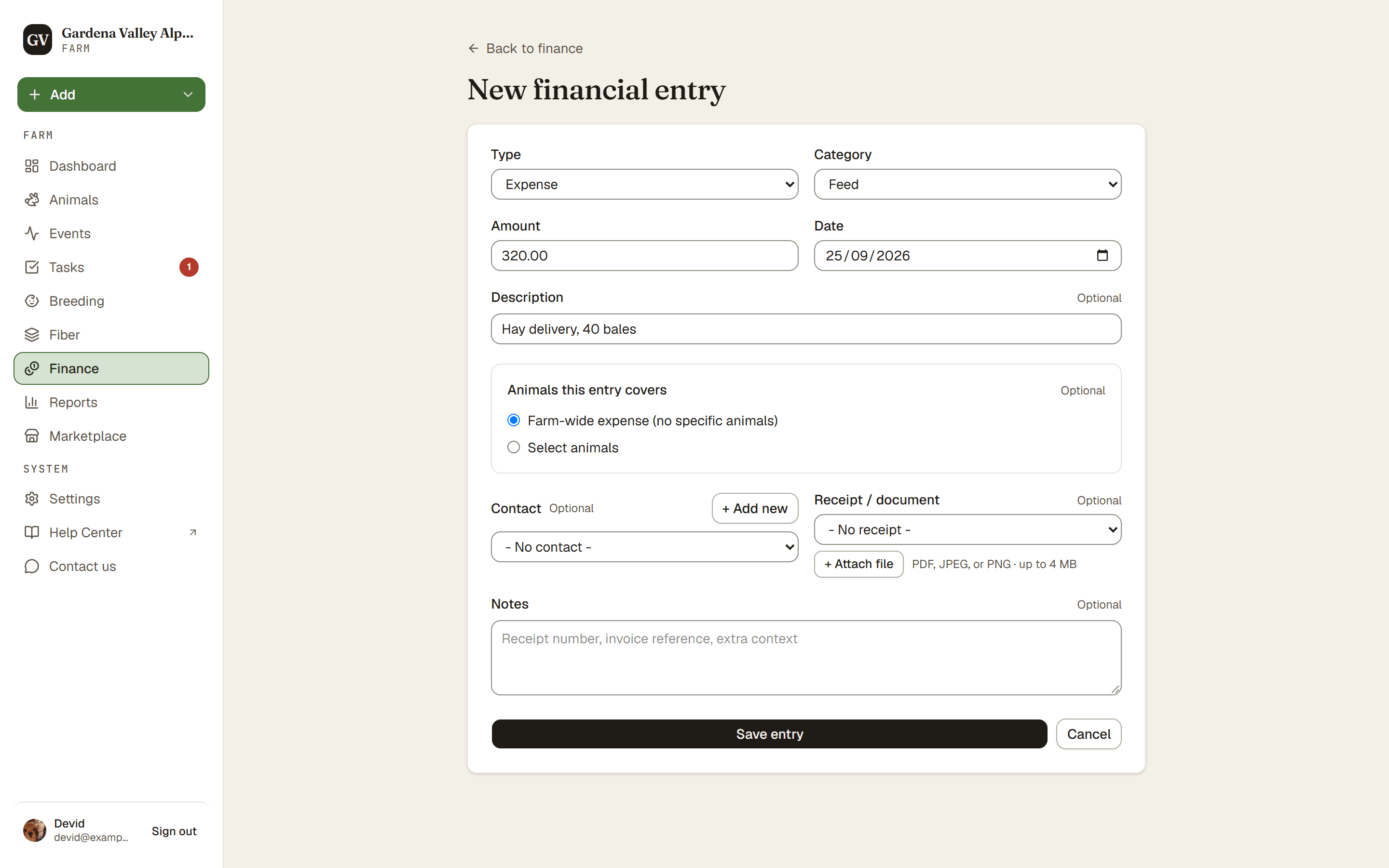
To log money in or out, go to Finance and press New entry. Pick whether it is income or an expense, enter the amount, and save.
Steps
- Finance → New entry. This opens the entry form.
- Type. Choose Income or Expense.
- Category. Pick a category, like feed, vet, or sale.
- Amount and Date. Enter how much and when.
- Description (optional). Add a short note if it helps.
- Animals this entry covers. Pick the animals it is for, or choose Farm-wide expense (no specific animals) for shared costs like fencing.
- Cost split (when you pick several animals, Farm plan and up). Choose Split evenly so the amount divides equally, or enter a Per-animal amount for each one. The running Total must match the entry amount before you can save.
- Receipt (optional, Farm plan and up). Attach a receipt or document.
- Save. Press Save entry.
Good to know. Deleted an entry by mistake? You get a 30-second Undo right after, so a slip is easy to fix.
Plan. Money entries are visible to the Owner and Co-Owner only. Farmhands and Viewers cannot see Finance at all. See Who can see money on your farm.
Farm plan and up. Splitting a cost across several animals and attaching a receipt are on the Farm plan and up. So are picking a Contact on an entry, adding your own categories, and the totals by category on the Finance page. Recording entries, and tying an entry to a single animal, is on every plan, and you can always export your entries as a CSV.