 AlpacaKeep
The Reports page answers one question first: does anything in the herd need you today? It has three parts: five checks, the herd trends, and two documents to print. They fill themselves from what you already log, so there is nothing to set up.
The five checks
A check that needs you is an open card with a count, for example 3 animals, and the list of those animals. A check with nothing to do folds up into one line with a green icon and the answer, for example "All 19 animals are clear of withdrawal today". A grey icon means there is nothing to check yet, for example no body condition scores recorded. Tap a folded check to open it anyway. The checks that need you always come first, and the heading tells you how many there are.
Long lists show the first five rows, most urgent first. Tap Show all 12 (the number is how many rows the list has) to see the rest. Every check explains the rules behind it under How this is worked out. On a folded check, open it to see them.
Weight loss flagged. Animals that have dropped 10% or more in weight over the last 30 days, sorted by the biggest drop. A fast way to catch an animal going downhill.
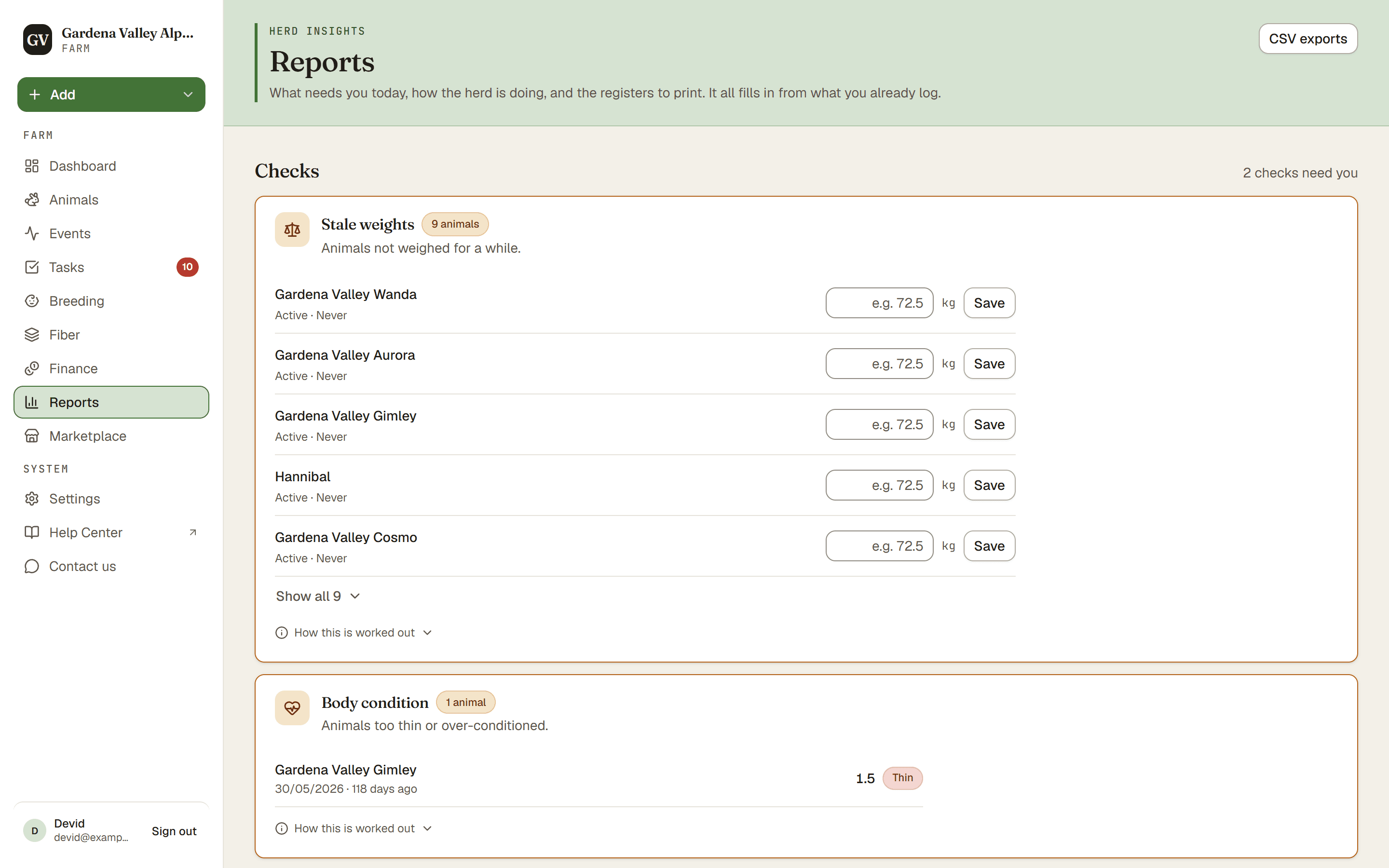
Stale weights. Active animals with no weight logged in the last 60 days, so you know who is overdue for a weigh-in. Each row has a quick way to log a weight (Viewers see the list only).
Body condition. BCS means body condition score, the 1 to 5 scale for how fat or thin an animal is. This check lists any animal whose latest score is outside the healthy 2.5 to 4.0 band, so you spot animals that are too thin or too fat.
Clear to sell. Which animals are clear of any medication withdrawal today. A withdrawal period is a wait after a medicine before an animal is safe to sell or slaughter. When some animals are in withdrawal, the list opens on them, and everyone not listed is clear. Switch to All for the full roster, or Clear for only the animals that are clear, for example before exporting it as a CSV to hand over. Once you pick a filter yourself, the list always opens on that one. Print PDF prints the whole herd as a dated sheet for a buyer or the abattoir: the animals still in withdrawal first, with their last day, then everyone who is clear. Always confirm withdrawal times with your vet.
Expiring medications. Medicine in your stock that has expired or expires within the next 30 days, so nothing sits past its date. The Manage medicine stock button takes you to your medicine cabinet.
Herd trends
Herd BCS trend shows the average body condition score of the herd, month by month, over the last 12 months, with the healthy band shaded. It stays on the page even when every animal is in range, because the line itself is worth reading.
There is no herd trend for weight on purpose. An average weight mixes crias and adults, so it drops every time a cria is born. Follow weights per animal on its profile instead.
Documents to print
Two tiles for paperwork: the Herd register (arrivals / departures) and the Medication register. Each one opens the page where you print it.
Export your data
Need these as a spreadsheet? The CSV exports link at the top of the page takes you to Settings → Export, where you can download your animals, events, show results, and fiber lab results as CSV. The Owner and Co-Owners also see a card for financial entries.
Good to know. A folded check with a green icon means nothing needs doing, so a page full of green folded checks is good news.