 AlpacaKeep
When you list an animal for sale, it gets its own public sale page at a fixed web address. You can share that link with a buyer right away.
Plan. Sale pages need the Farm plan.
The web address (slug)
Each sale page has its own address, called a slug. It is made from the animal's
name plus a short code, like luna-7k3f9q, so two animals called Luna never
get mixed up. It is created once, when you first list the animal, and then it
stays the same. If you later rename the animal or change your herd code, the
address does not change, and any link you shared or QR code you printed
keeps working. Pages listed before October 2026 may still start with your herd
code, and they keep that address too. Think of it like a house number that stays
put even if the street gets renamed.
What a buyer sees
The sale page shows the animal's:
- Photo
- Price (or "Price on request")
- Color
- Pedigree
- BVDV status (a virus test result)
- A DNA-cleared non-carrier badge (the animal tested clear of the risky coat-color gene), when that applies
- Registry registrations, and the certificates and papers you choose to share
- Currently expecting, for a pregnant female
- Fiber and show results, unless you untick Show fibre results or Show competition results on the listing
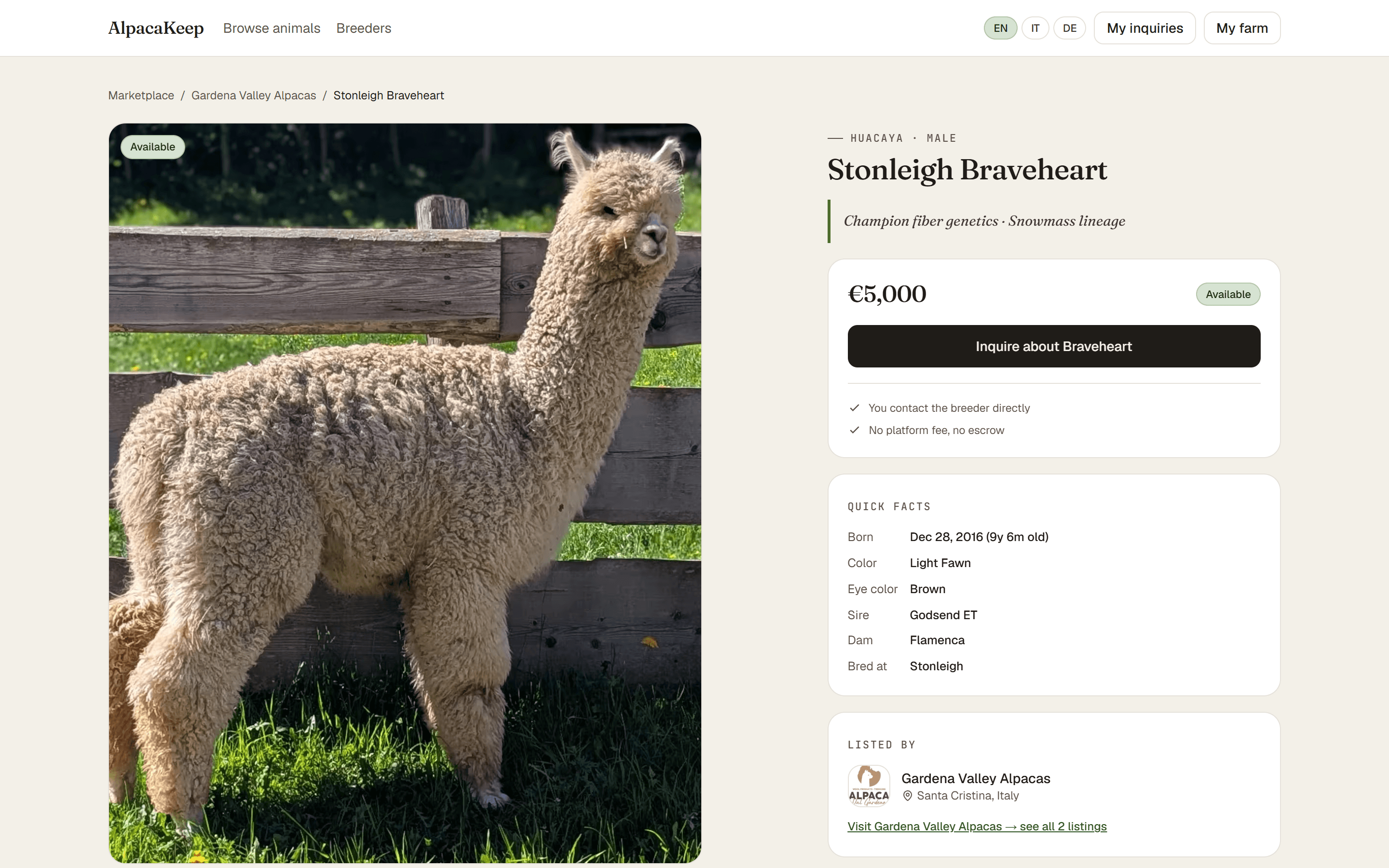
Your farm on the page
Every sale page also shows a bit of your farm: your farm name and logo, your town, your about text, and your social links. You set those once under Marketplace → Public profile, and they appear on every animal you list. That page is free to fill in on any plan, even before you can publish.
Sharing the link
You can copy the sale-page link and send it straight to a buyer by email or message.
Good to know. Your animal can also show up in the public Marketplace, where buyers browse listings across many farms. Turn on your farm page under Marketplace → Public profile. Sharing the direct link works either way.