 AlpacaKeep
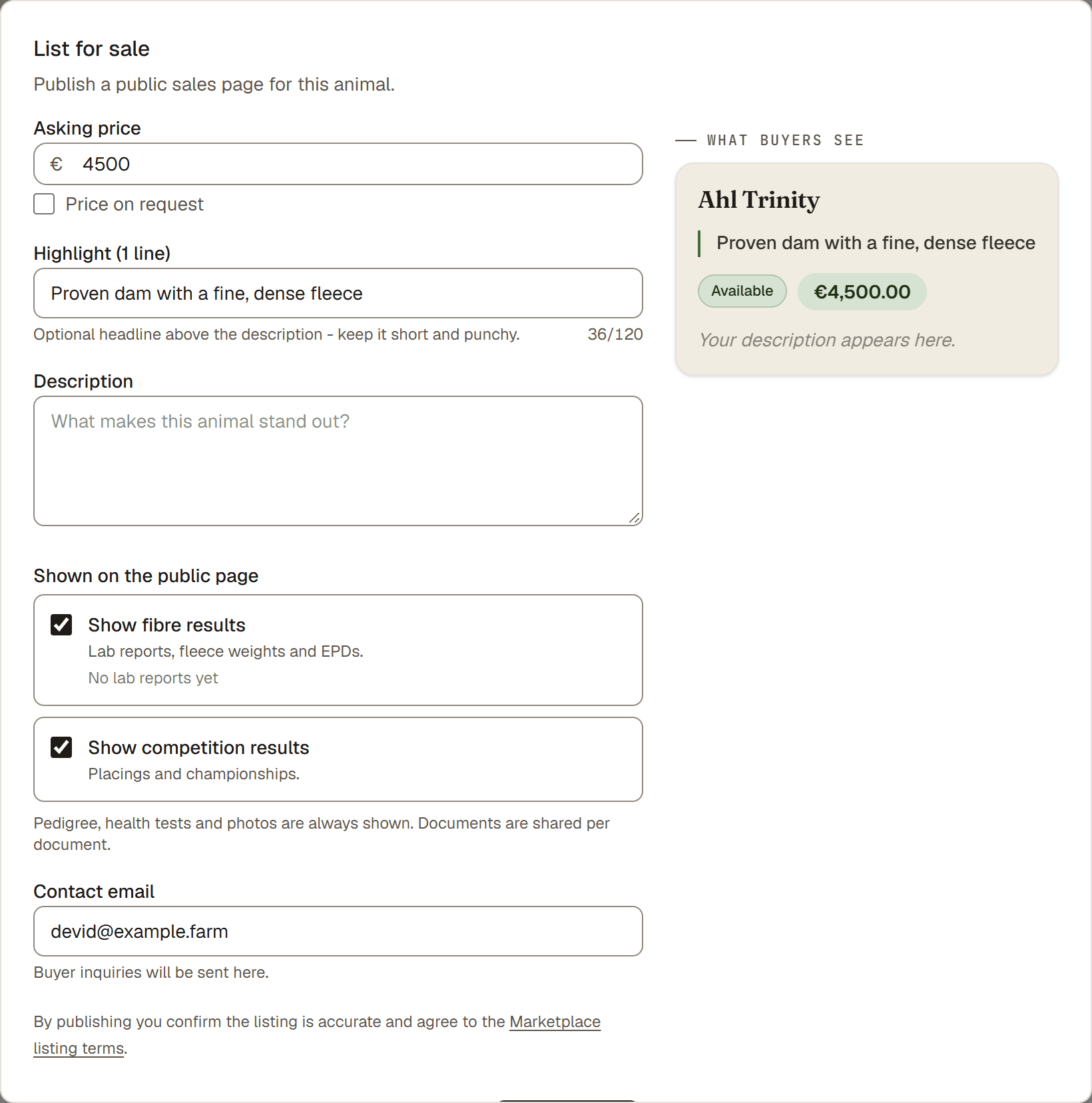
To put an animal up for sale, open the animal, go to its Overview tab, and press List for sale. Set a price and a short highlight, and the animal gets its own sale page.
Plan. Sale pages need the Farm plan. You can start a 30-day free trial from a paywall when you click to list.
Steps
- Animals → (open an animal) → Overview. Find the sales card.
- List for sale. This opens the listing form.
- Asking price. Enter a price, or leave it blank to show Price on request. To keep a price private, enter it and tick Price on request under the field. Buyers then see "Price on request", and only your team sees the price.
- Highlight (optional). One line, up to 120 characters. A punchy headline above the description, like "Champion fiber genetics."
- Description (optional). Longer text about the animal.
- Contact email. The Owner or Co-Owner sets your farm contact email. Buyers who reply to our emails reach this address. New buyer questions go to the farm owner's sign-in email, or to the Inquiry email under Marketplace → Public profile once you have confirmed it through the link we send there.
- Publish listing. The listing goes live and the dialog shows the sale-page link with Copy and View live page buttons. Share it with your buyer right there.
Tip. Buyers see your farm on every listing. Add your logo, a cover image, and a line or two about the farm under Marketplace → Public profile. You can fill that in on any plan, and after you save, the page shows you your farm exactly as buyers see it, with a checklist of what is still missing.
Good to know. Your farm can also appear in the cross-farm Marketplace browse, where buyers look across farms. Turn on your farm page under Marketplace → Public profile. Sharing an animal's own sale-page link directly with a buyer works either way. See Your animal's sale page and its web address.