AlpacaKeep
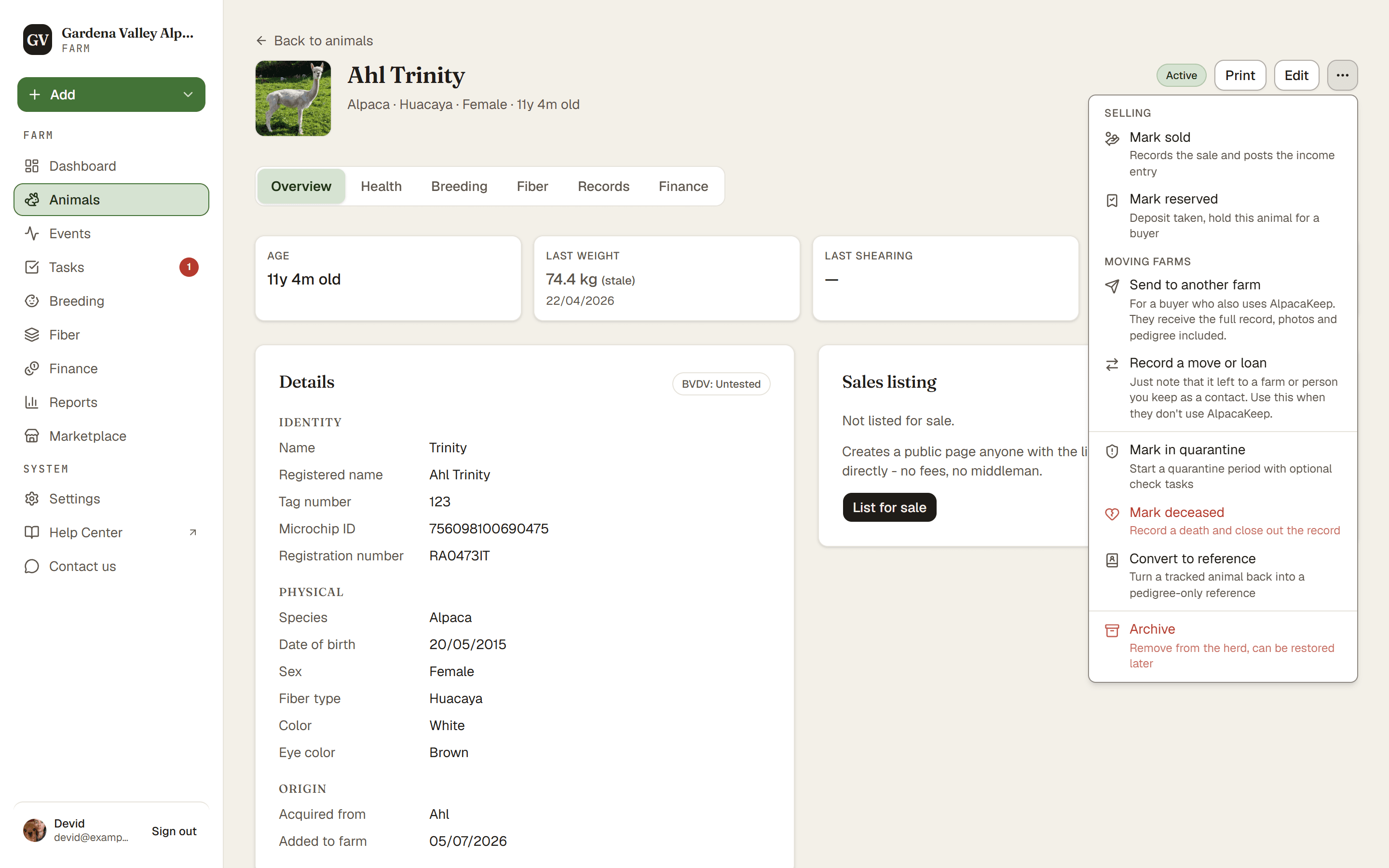
Open an animal and use its ⋯ menu to mark it reserved, mark it sold, or record a local transfer. Each one updates the animal's status for you.
Mark reserved
Use Mark reserved when a buyer has paid a deposit. You enter the Deposit amount, the Buyer and the Expected pickup date, and the deposit is posted to Finance. You can also attach a Contract / agreement. The animal is flagged as held so you do not double-sell it, and a follow-up task for the pickup is added to your tasks.
When the buyer collects the animal, press Pickup completed to finalise the sale. If the deal falls through, use Cancel reservation and choose what happened to the deposit: Refunded (creates an offsetting expense) or Forfeited (kept as income).
Watch out. If the animal is listed for sale, reserving it takes its public sale page offline. A link you already sent to a buyer now shows that the animal is reserved instead of the listing.
Mark sold
Use Mark sold when the sale is done. On an animal that is listed for sale, Mark sold is a button next to the ⋯ menu. This does three things at once:
- Records the sale as a financial entry (so your money is tracked).
- Clears the animal from its paddock.
- Takes down the public listing (the price you set is kept on the animal).
Good to know. Changed your mind, or picked the wrong animal? There is an Undo sold action to reverse it.
Good to know. Only the Owner and Co-Owner can mark an animal reserved or sold, and only they see the financial entry. See Record income and expenses.
Record a move or loan
Record a move or loan is for when an animal leaves your farm without a sale recorded here: a Permanent transfer, a Stud lease, or Agistment / loan at another farm. You pick the Destination from your contacts. Use it when the other side does not use AlpacaKeep.
Send to another farm
If your buyer also uses AlpacaKeep, the ⋯ menu has Send to another farm. Instead of just marking the animal sold, this sends its full record, with history, pedigree, and documents, to the buyer's farm, so nothing is lost in the handover. They accept it on their side.
To send several animals at once, tick them on the Animals page and choose More → Send to another farm in the bar at the bottom.