 AlpacaKeep
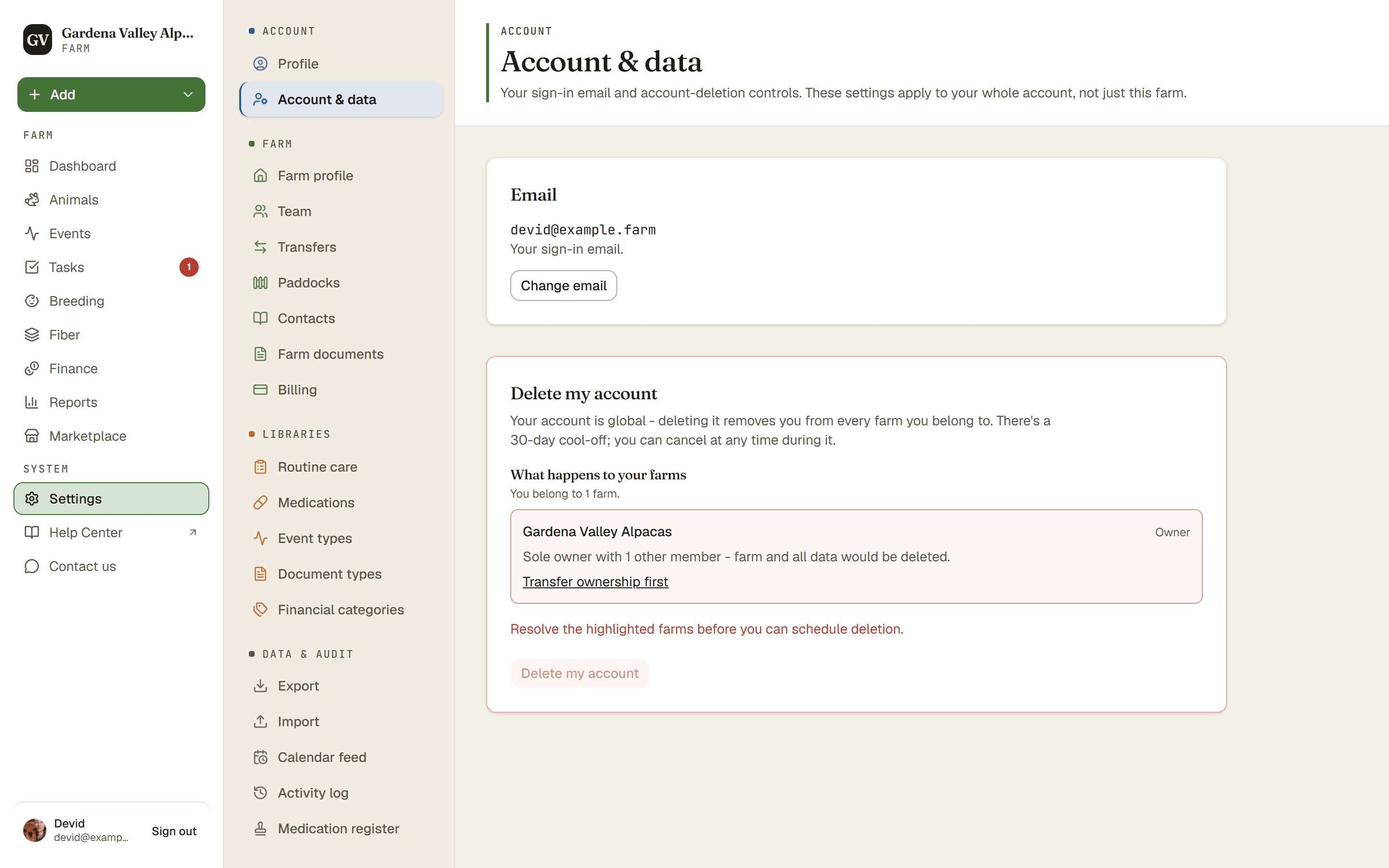
Your account and your data settings live in Settings → Account & data. This is where you ask to delete your account. Deletion does not happen right away: you get a 30-day window to change your mind.
Your account is global
Your account is one login that can belong to more than one farm, so deleting it removes you from every farm you are part of. To step away from a single farm instead, leave it from its team settings and keep your account.
Farms you own are deleted too
Deleting your account also deletes every farm where you are the only owner and nobody else is a member. That means the whole farm and everything on it: animals, photos, documents and financial records. We keep no copy for you, so if you need those records (for example for your taxes), export them first. The Account & data page lists each of your farms and says what will happen to it.
If other people are members of a farm you own, you cannot schedule deletion yet. First transfer ownership to someone on that farm, or remove the other members. If someone joins that farm during the 30 days, the deletion waits: nothing is deleted, the Account & data page tells you why, and it goes ahead once the farm is transferred or they have left.
Farms you share
Farms where you are a Co-Owner, Farmhand or Viewer stay with their owner. You are removed as a member and your name is taken off. The records you entered there, like events and weights, stay with that farm, because they are part of its herd history.
How deletion works
- Settings → Account & data. Find the account deletion option.
- Delete my account. Type DELETE MY ACCOUNT in the box, then confirm with Schedule deletion. This starts a 30-day cool-off. Nothing is removed yet.
- Wait, or cancel. You can cancel the request any time during those 30 days and nothing changes.
- After 30 days, deletion starts in our next nightly run. Your account, your personal data and any farm you own alone are removed. Photos and documents can take a few more days to leave our file storage.
- Check your email. We write to you once it is done.
What stays
- Messages you sent to sellers stay with them, without your name or email.
- If you received our newsletter, your address stays marked as unsubscribed, so we never write to you again.
- Where the law requires it, the records of a paid contract.
- If a farm keeps you in its own address book, for example as a buyer, that entry belongs to the farm. Ask that farm to change it.
- Our database backups hold a copy for at most 7 more days.
Good to know. Not part of any farm? You can still delete your account. After you sign in, the page that offers to create a farm also has a Delete my account section.
Tip. Want a copy of your records first? Export them before you delete. See Get your data out (export).