AlpacaKeep
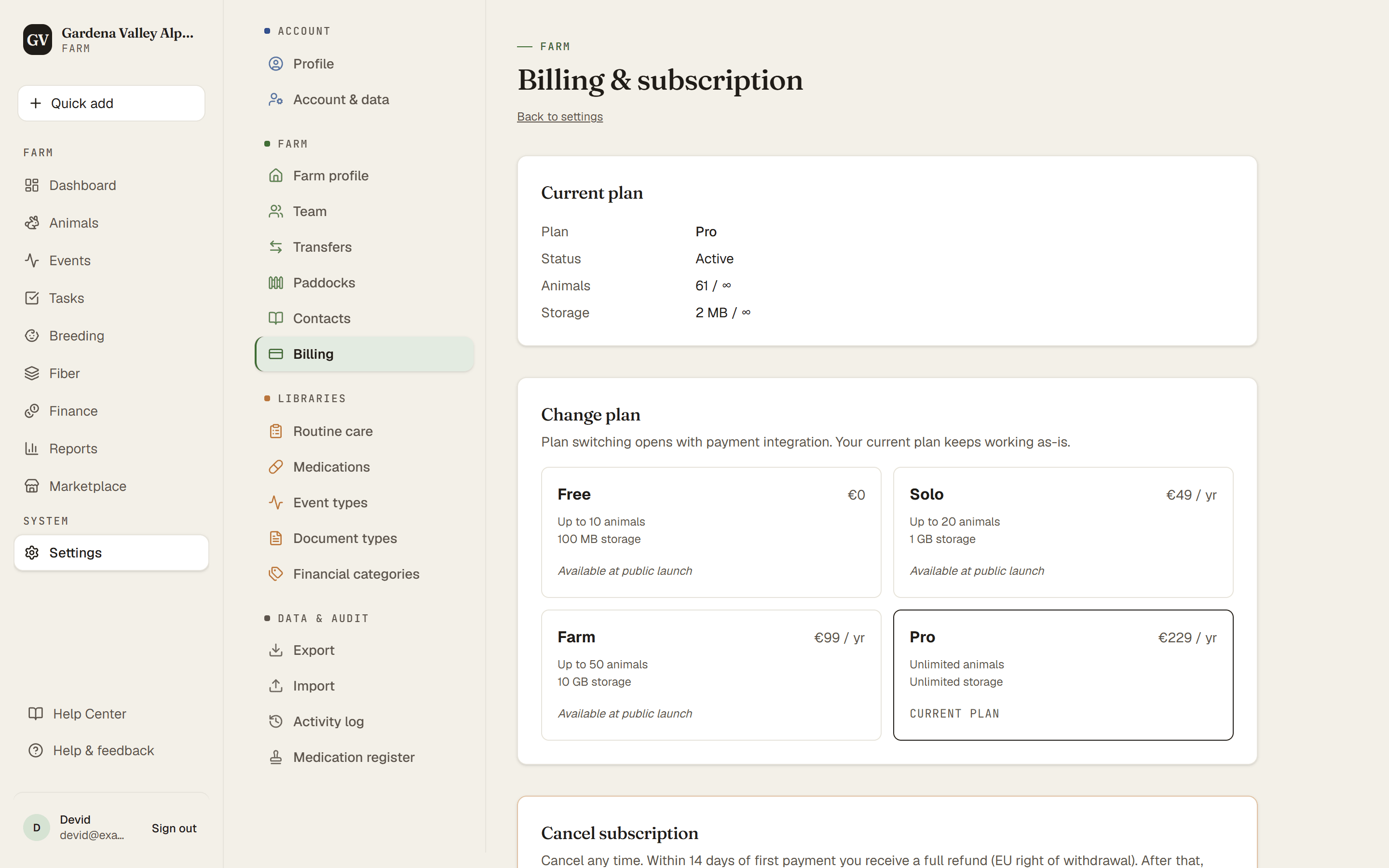
AlpacaKeep has four plans: Free, Solo, Farm, and Pro. Each step up raises how many animals you can track and unlocks more features. You can see your current plan and exact limits any time on Settings → Billing.
The shape of the plans
- Free the starter plan, no cost.
- Solo more animals and unlimited team members. (Spreadsheet import is free on every plan.)
- Farm more animals again, and adds the Fiber hub (farm-wide fiber analytics), public sale pages, and full financials: income and expense reports, receipts on entries, splitting one cost across several animals, and your own categories.
- Pro the most capacity, for larger farms.
Your exact numbers (animals, team members, storage, price) are on Settings → Billing.
Financials on Free. Recording income and expenses, and exporting them as a CSV, is on every plan. Farm adds the reports, receipts, cost splitting and custom categories on top.
Good to know. Reference animals do not count toward your animal limit. They are pedigree-only stubs for ancestors and outside studs from other farms, so you can build out a pedigree without using up your plan.
Choosing a plan
Settings → Billing starts with Your farm today: your animals and expected crias, storage, people (pending invitations count) and public pages. Below are the four plans, yearly (about 2 months free) or monthly, VAT included. Paid plans open at public launch; until then you can compare them.
- The smallest plan that fits your farm is marked and has the filled button.
- A plan that does not fit says why, for example "Holds up to 50 animals. You have 64."
- If a plan would switch off something you use, it says so, for example "Your public pages go offline".
- Choosing shows a short summary first: plan, price, when you pay, what changes today. Tick the box that asks for your plan to start now, tap Order with obligation to pay, then pay with Stripe.
If your farm is in the beta
Beta farms use a paid plan for free until an end date we announce at least 30 days ahead. Once it is announced, the Billing page shows it and you can choose a plan.
- After that date your farm moves to Free, unless you chose a plan.
- Choose early and your plan starts at once. You pay only after that date.
- Change your mind? Cancel before the date and you pay nothing.
- On the day before the date and on the date itself you cannot choose a plan. Choose earlier, or from the day after.
The free trial
You can try everything free for 30 days. The trial unlocks every paid feature and lifts every limit while it runs. AI requests are the one exception: 10 a month during the trial.
- It is one free trial per farm, for farms on Free or Solo. The beta counts as your free trial: a farm that was in the beta cannot start it.
- It does not start at signup. It starts when you tap a paywall, for example when you reach the Fiber section, the marketplace, or your animal limit. You will see a Try everything free for 30 days button.
- No card needed.
- After 30 days you go back to the plan you had before, automatically. Everything you entered stays.
Over a plan's limit
Nothing is deleted, and you can still see and edit everything. What stops is adding animals, or bringing one back into your count: restoring an archived animal, undoing a sale or death, a return from loan, turning a reference animal into a herd animal, or accepting a transfer. Births are always recorded, even a little over the limit. Move up a plan, or get back under the limit, and it all works again.
Cancelling, and your 14 days to change your mind
Only the farm's owner can cancel: Settings → Billing → Cancel subscription.
- Within 14 days of choosing a paid plan, your plan ends at once, your farm moves to Free, and you get back everything you paid.
- After 14 days, your plan runs to the end of the period you paid for, then moves to Free. Nothing is refunded.
- Chose a plan during the beta? Nothing has been charged, so your plan simply stays until the end date.
- Nothing is deleted. We email you the date and time we got your cancellation.
Good to know. You can also do it without signing in. At the foot of every page on our website are Withdraw from contract here and Cancel contracts here. You get an email straight away, then we find your subscription and end it for you.
Steps
- Settings → Billing. See your farm today and the plan that fits it.
- Choose a plan, check the summary, and pay with Stripe. Or tap a paywall (or the trial card on Billing) to start the free trial.