 AlpacaKeep
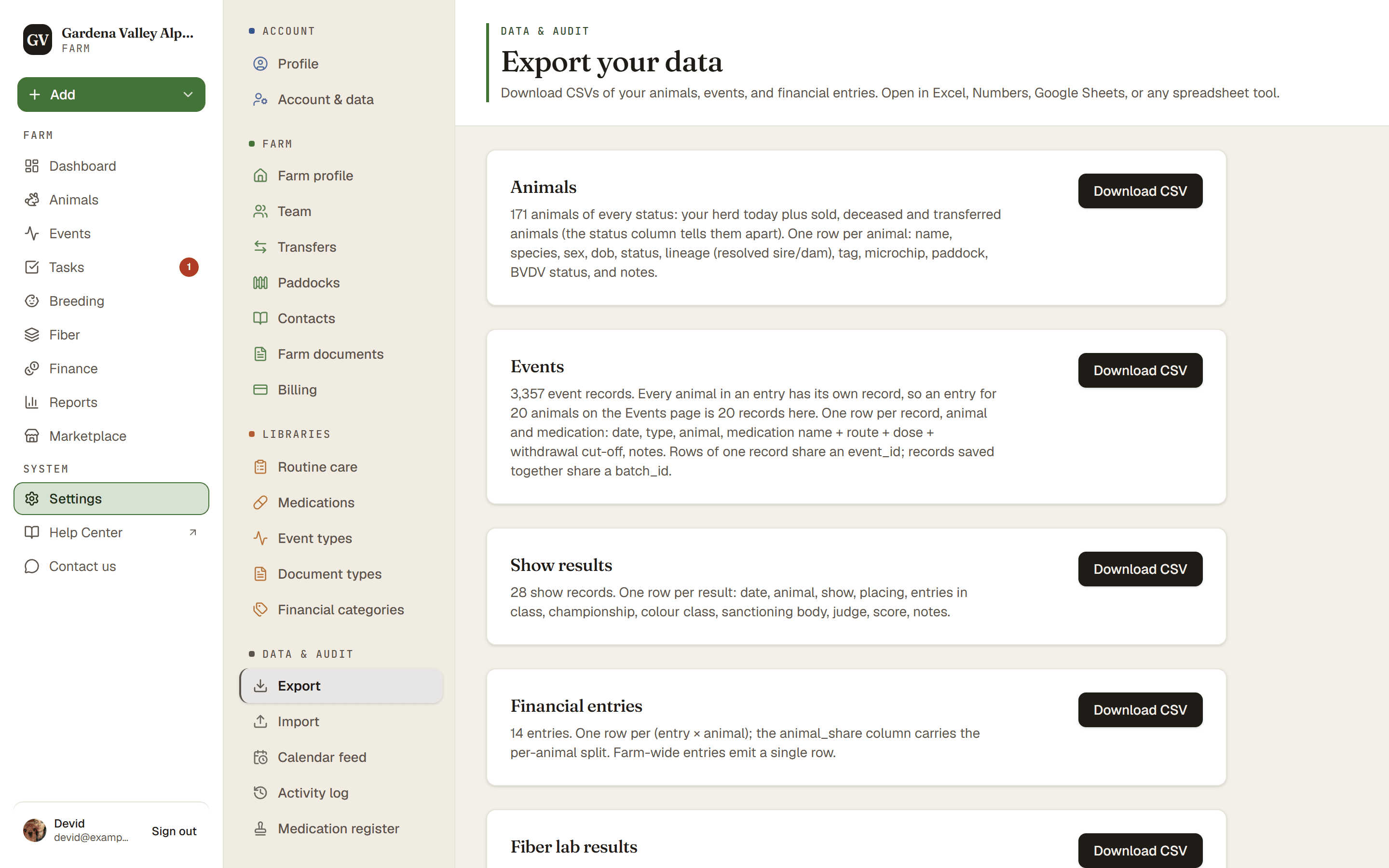
Your data is yours, and you can take it out whenever you want. Go to Settings → Export to download CSV files of your herd. No lock-in.
What you can download
- Animals every animal and its details.
- Events the things you have logged.
- Show results your show results.
- Financial entries your income and expenses (Owner and Co-Owner only).
- Fiber lab results your fiber lab numbers.
A CSV is a plain spreadsheet file. It opens in Excel, Numbers, Google Sheets, or any spreadsheet app.
Plan. Every download here is on every plan, the fiber CSV included. (The fiber analytics tools themselves need the Farm plan.)
Looking for printable PDFs instead? Those live where the data lives: an animal's profile can be printed as a PDF with its Print button, and the medication register prints from Settings → Medication register.
Steps
- Settings → Export. This lists the files you can download.
- Pick what you want.
- Download CSV and open it in your spreadsheet app.
Good to know
- Dates in the animals CSV are plain ISO dates (like 2026-06-25), so they sort and import cleanly no matter what date format you use in the app.
- The files are UTF-8, so accents and special characters come through correctly in Excel.
- The animals file holds every animal you have recorded, sold, deceased and transferred ones included, so its count is usually bigger than the Active count on your Animals page. The
statuscolumn tells them apart. Reference animals (pedigree-only ancestors) are not in it. - The events file has one record per animal. An entry for 20 animals on the Events page is 20 records in the file, so its count is bigger than the number of entries you see there.
- The fiber file lists only animals with a lab report, sold and deceased ones included.
Good to know. Thinking of trying AlpacaKeep but worried about getting stuck? Don't be. Everything you put in, you can take out as a spreadsheet at any time.