 AlpacaKeep
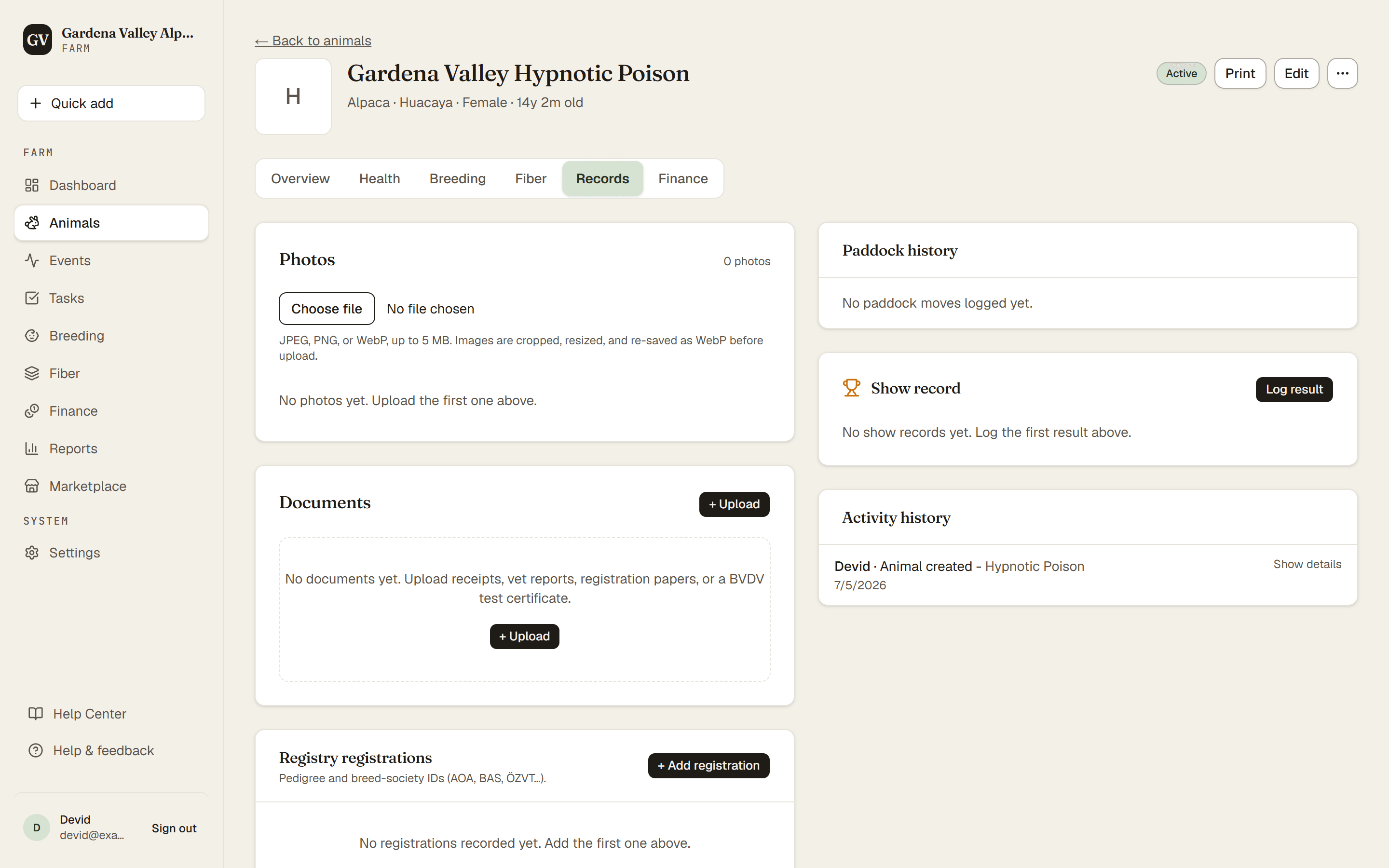
You can attach files to an animal so the paperwork lives with the animal it belongs to. BVDV certificates, registration papers, lab PDFs, and receipts all go in one place. You add them from the animal's Records tab. You can also attach a receipt to a finance entry.
Steps
- Animals → (open an animal) → Records tab. This is where Photos, Movements, Documents and Registry registrations live. Show results have their own Shows tab.
- + Upload. In the Documents section, press + Upload, give the document a Title, choose the file and pick a document Type for it.
- Upload. Press Upload in the dialog. The document now shows on that animal's Records tab.
To attach a receipt instead, open the finance entry and use its Receipt / document option. (Finance is Owner and Co-Owner only, and attaching receipts to entries is on the Farm plan and up.)
Good to know
- Document types (like "BVDV Test" or "Registration Paper") are managed in Settings → Document types. You can use the built-in ones or add your own.
- Storage counts toward your plan. Every file you upload uses some of your plan's storage. The Owner can see how much is used, and the limit, on Settings → Billing. Bigger plans give you more room.
Tip. Upload the BVDV certificate and link it to the animal's BVDV status. That keeps the proof next to the result, which is handy when you sell.