 AlpacaKeep
If you want our help inside your farm, for example to check a problem or bring your records across from another app, you can give AlpacaKeep support access for a few days. You pick what we may do and for how long. It ends by itself, and you can end it sooner. We never enter your farm until someone there says yes.
Only the Owner or a Co-Owner can give, answer, or end support access. Everyone on the farm can see when it is on.
Steps
- Settings → Team. Find the AlpacaKeep support card.
- What support may do. Pick one of the three levels (see below).
- For how long. Pick 3, 7, 14 or 30 days.
- Give access. The card now shows Active, the level, and the date it ends.
Bringing records across? On Settings → Import, the We can import it for you box gives us 14 days of access in one click. Then email your export file to the address shown there.
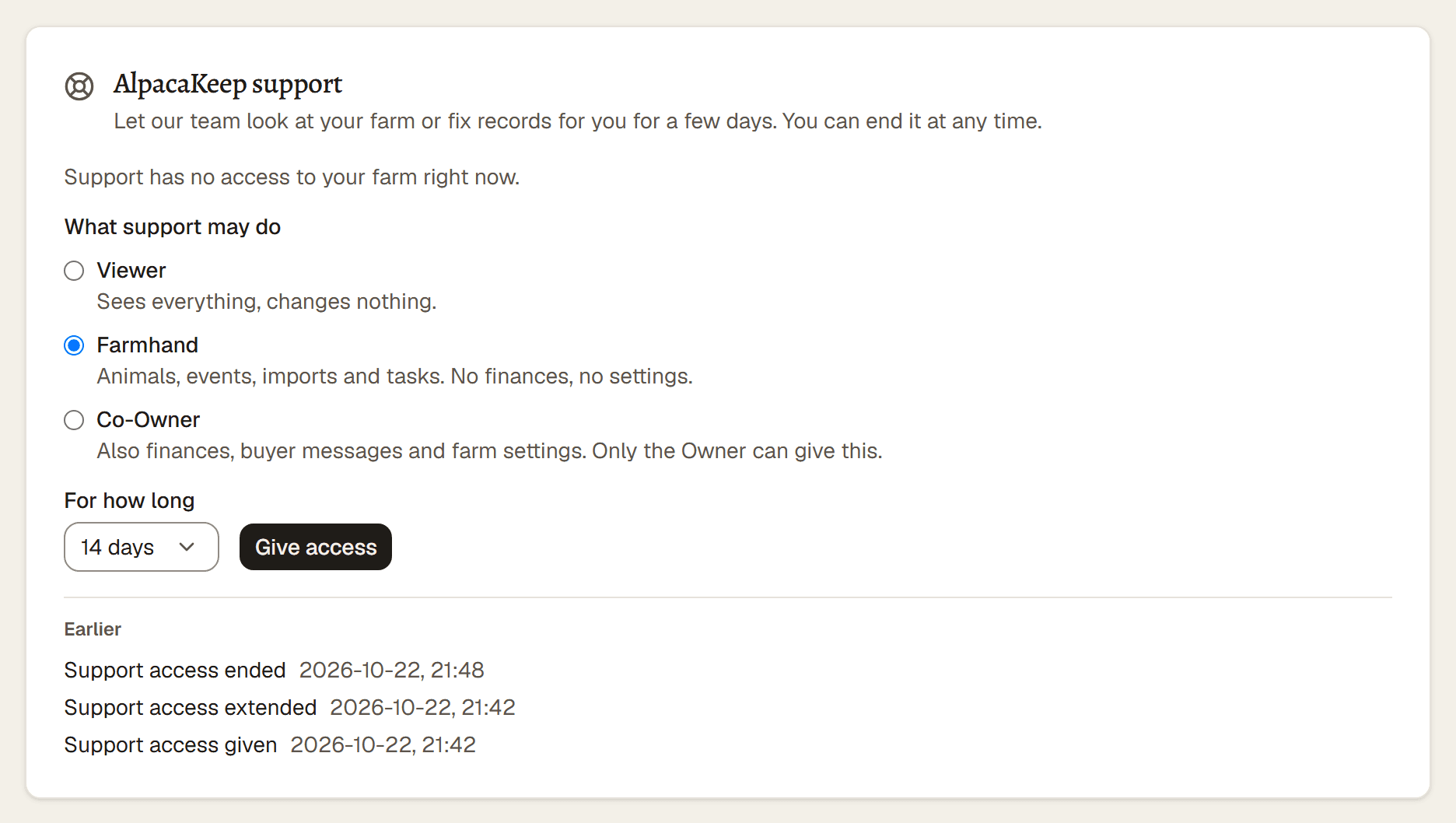
The three levels
At every level we can never change your team, say yes to anything in your name, put your animals or farm on public pages, or take over your farm.
Ending it
- It ends by itself on the date shown on the card.
- To end it sooner, press End now on the card. The line at the top of every page only reminds you that access is on; you do not have to do anything, we write to you when the work is done.
- To give us more time, press Extend.
When we ask you
Sometimes we ask for access first, for example to finish an import. The Owner gets an email with our reason. On Settings → Team the card shows Support asks for access, the level and the number of days. Press Allow or Decline. You can lower the level or the days before you allow it. If nobody answers, the request lapses by itself.
Good to know. While support has access, a banner at the top of every page says so. Everything we do appears in Settings → Activity log under AlpacaKeep support, so you can see each change we made.
Good to know. Support access never takes up a place on your team, so it does not count toward your plan's user limit.