 AlpacaKeep
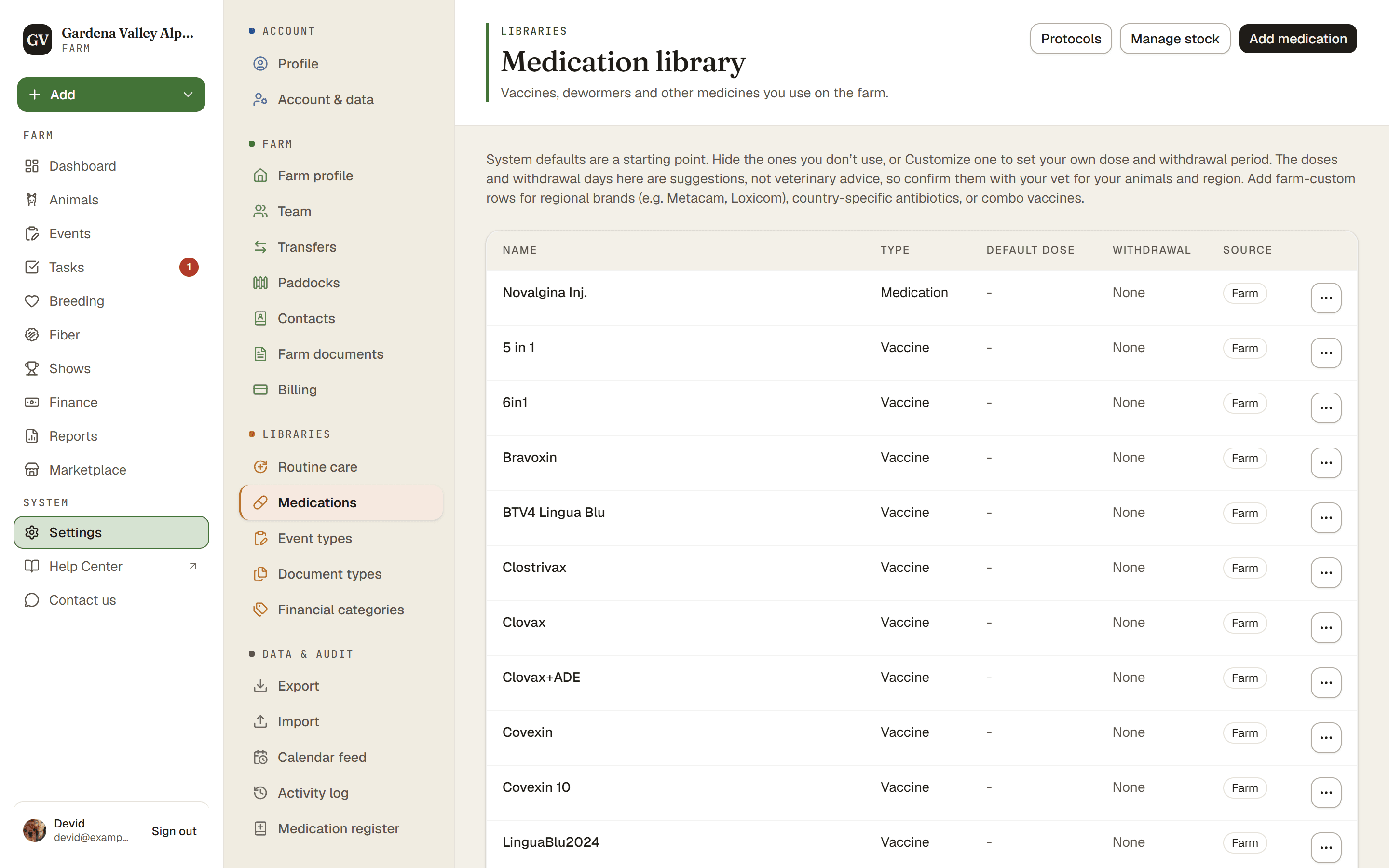
AlpacaKeep keeps two separate medication lists under Settings → Medications, and people mix them up. The Medication library is your list of medicine types. The Medicine cabinet is what you physically have in the cabinet right now.
The Medication library: the types you use
The library is the list of medicine types you can pick when logging an event: vaccines, dewormers, supplements, and treatments. Each type carries its dose and withdrawal (days), so those fill in for you when you log a dose.
- AlpacaKeep gives you a set of system medications to start with.
- You can add your own farm-custom ones.
- You can hide a system medication you never use.
- You can customize a system medication. That makes an editable copy in your own list (with the dose and withdrawal copied over) so you can change it to match what you actually use.
How is it dosed?
When you add or edit a medication, enter your dose the way the label or your vet writes it. Leave it empty if you do not know it yet.
- Same for every animal, for example 2 ml. Good for vaccines, and for farms without a scale: use your vet's dose for an adult. The dose fills in for every animal, and Different dose for some animals covers a cria.
- By body weight, for example 1 ml per 50 kg, as on the label. Each animal's dose is then worked out from its weight, in ml, ready for the syringe.
The list shows the dose back the same way: "1 ml per 50 kg".
Good to know. The starting dewormers and treatments are set in mg per kg, because the strength differs from one product to the next. Dosing in ml? Press Customize to make your own copy, then enter the dose as on your product's label. The dose list links here too: Set this medicine up as on its label.
Good to know. A medication saved earlier with a unit the app cannot read, like "tablet", opens with Keep as saved and the saved text. It keeps working. Pick how it is dosed when you want doses filled in for you.
Medicine cabinet: your stock
The Medicine cabinet is a simple list of what you physically have on hand. Open it with Manage stock on the library page. For each item you record:
- The medication (chosen from your library)
- The Lot / batch number
- The Expiry date
- A free-form Quantity and Unit
Watch out. Stock does not count itself down. Logging a dose does not lower your stock numbers, and there are no low-stock alerts yet. Think of it as a written inventory, not an automatic counter.
Good to know. Medicine that is expired or expiring soon shows up on the Reports page so it does not get missed.
The Medication register
There is also a printable Medication register, a record of the doses you have given. Use it when you need a paper trail of treatments for your records or an inspection.