 AlpacaKeep
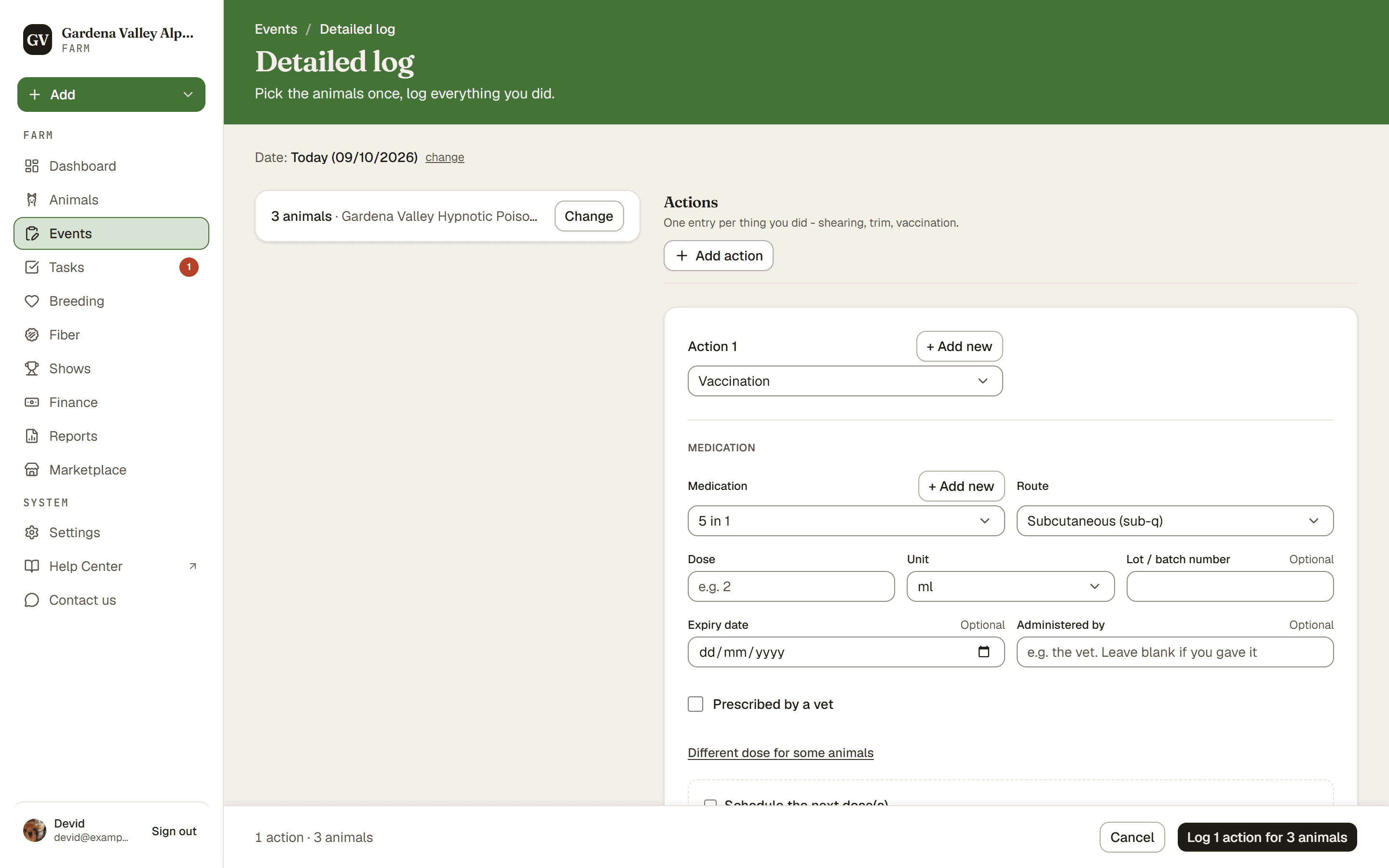
The Detailed log is the full-page form for big jobs. You pick the animals once, then log one or more actions for all of them, with room to work: conformation checks, follow-up reminders, and a dose for each animal. One save logs it all.
Most day-to-day logging happens in the Log an event drawer instead (see Log an event: the everyday way to record things). Reach for this page when the job is heavy.
Where to find it
- On the Events page, in the ⋯ menu: Detailed log.
- From inside the Log an event drawer: the link Open the detailed log shows under + Add another, under the Doses list, and once you reach four events. What you filled in comes along.
- When you complete a task with an event, or repeat a past batch.
It is not in the Add menu. The drawer is the everyday starting point.
Steps
- Events → ⋯ menu → Detailed log. This opens the full-page form.
- Pick the animals. Choose the whole group you are working with in one go. If the animals came with you, from a task or the drawer, they show as one line with Change. The Date at the top applies to the whole log.
- Add an action. Pick the event type. If it is a medication, fill in the medication details.
- Check the doses. For a medication dosed by body weight, each animal's dose is worked out from its weight on the date at the top, in the same list as the drawer (see Log an event). For a dose that is the same for all, Different dose for some animals lets you change it for a few.
- Add more actions if you did more than one thing to the same group.
- Save. Every animal gets its own event row. If some animals have no dose, you are asked first: Add doses or Save anyway.
Good to know. Did a vet prescribe the medicine? Tick Prescribed by a vet in that action and add Prescribed by, the Prescription no. and a Photo or scan of the paper. One file covers the whole group, and it is never copied into your next log.
One batch, easy to undo
Each action you save keeps its rows together in one batch. That means:
- Right after saving, each batch shows as one row in the events list with an Undo button. For 5 minutes you can undo the whole batch at once if you made a mistake, instead of deleting rows one by one.
- After that, they stay grouped as one batch in the events list.
Good to know. Each animal's event still shows on its own Health tab too. The batch just keeps them grouped.
Shearing day has its own form
Shearing day is a special full-herd form of its own. Use it when you are shearing and want to record fleece for many animals in one sitting.