 AlpacaKeep
To log something for one animal, open the Log an event drawer and pick just that animal. Or start from the animal itself: open it, go to its Health tab, and press Log an event at the top. That opens the same drawer with the animal already picked. The animal's Health tab keeps the full history either way.
Steps (the quick way)
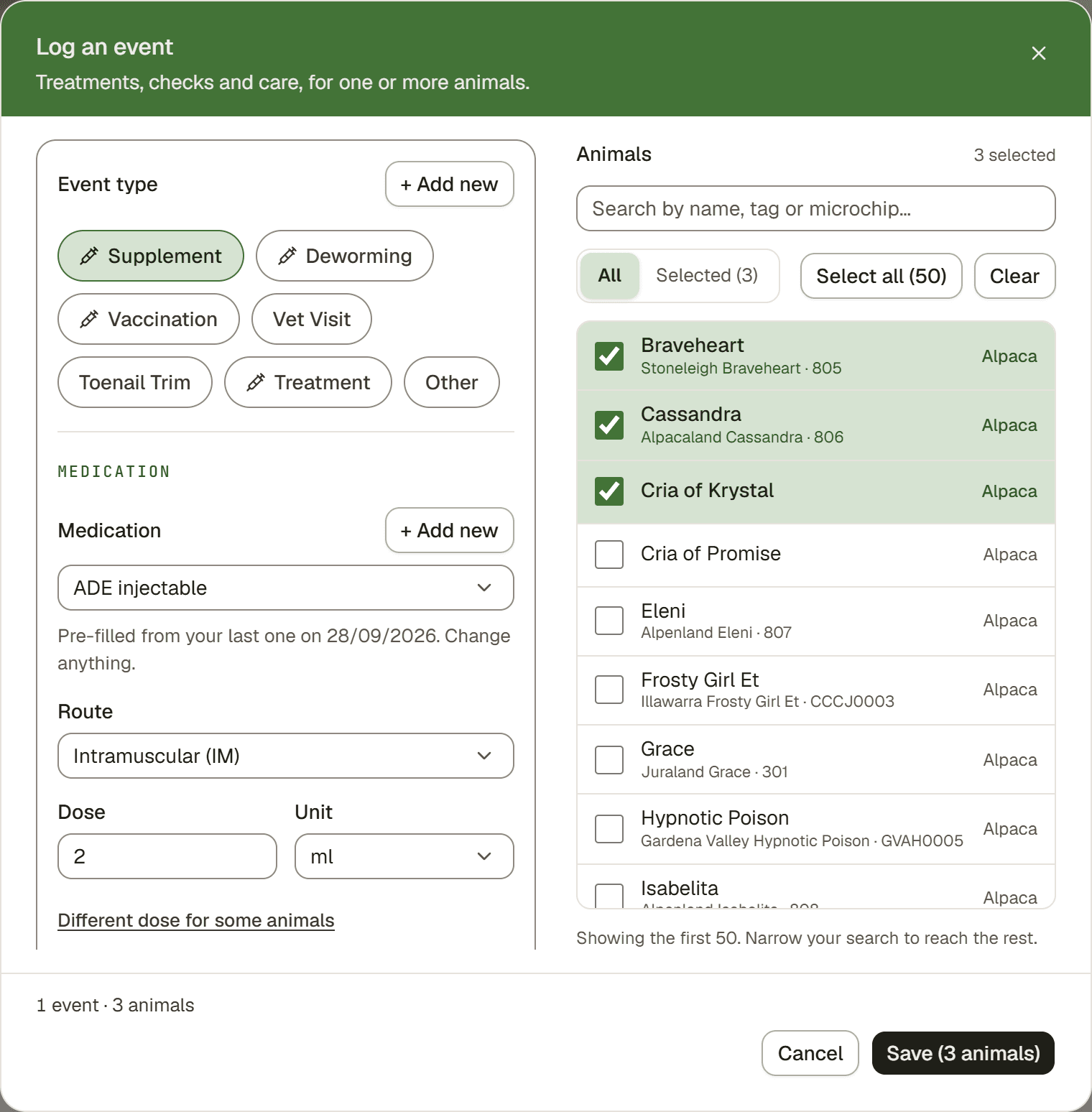
- Add → Log an event. The drawer opens. You can also open it from the Events page.
- Pick the Event type. For example vaccination, deworming, or a check.
- Pick your animal. On a phone, tap the Animals row, find the animal, then tap Done.
- Check the details. For a medication, the medication and route are pre-filled from your farm's last event of that type. The dose carries over too, but only for a fixed dose. A dose worked out from body weight does not, because every animal weighs something different. Change anything. The batch number and expiry date never carry over. The Date defaults to today.
- Save. The event is added to the animal's Health tab.
Starting from the animal
Animals → open the animal → Health tab → Log an event. The button is at the top of the tab, next to the Last event line. It opens the Log an event drawer with that animal already picked. You can still add more animals in the picker. A dose from body weight is worked out right in the drawer. A conformation check or a follow-up reminder needs the Detailed log (see Detailed log: big jobs for a whole group).
The medication details
If you pick a medication-type event (vaccination, deworming, supplement, or treatment), you fill in:
- Medication (from your medication list)
- Route (such as Subcutaneous, Intramuscular, Oral)
- Dose and Unit. For a medication dosed by body weight you get a Doses button instead, with each animal's dose worked out from its weight (see Log an event: the everyday way to record things).
- Batch / lot number and expiry date
- Administered by (free text, handy for an outside vet)
- Prescribed by a vet (tick it only when a vet prescribed the medicine): Prescribed by, Prescription no. and a Photo or scan of the prescription. One file covers all the animals in the event.
The medication list is filtered to the event type: a vaccination event shows vaccines, a deworming event shows dewormers, and so on.
Good to know. When a medication has withdrawal days set, logging it adds a withdrawal banner to the animal until it clears. See Withdrawal periods.
When it is a conformation check
Conformation checks are not in the drawer. Log them on the Detailed log page: on the Events page, open the ⋯ menu. You set a severity (Info, Minor, or Severe) instead of a medication, and can note findings.
Good to know
Tip. Need the next dose later? The Schedule the next dose(s) block on the Detailed log form sets a reminder. See Schedule follow-up doses.