 AlpacaKeep
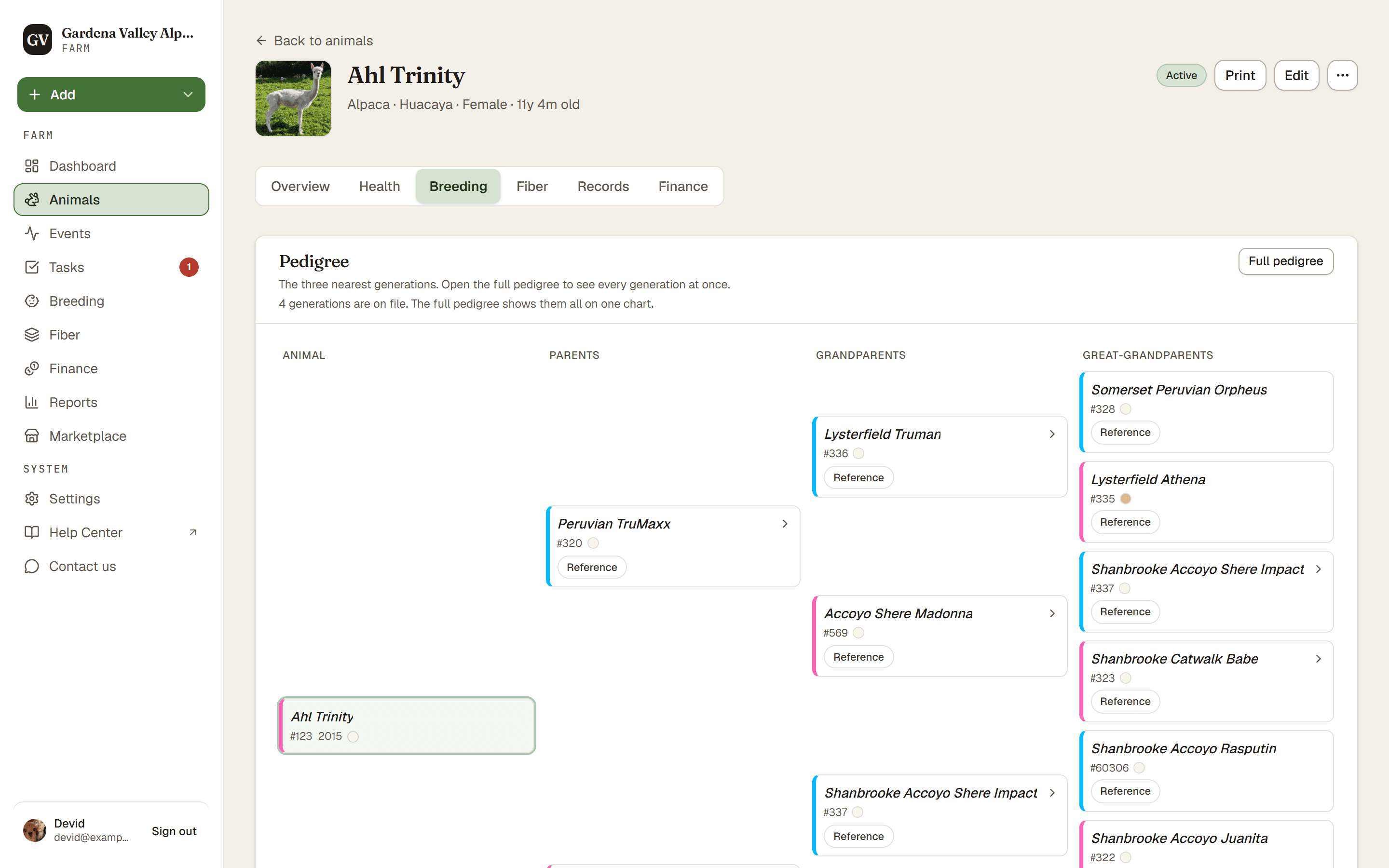
An animal's pedigree is its family tree. To see it, open the animal and go to the Breeding tab. The tree shows the animal plus its ancestors going back three generations.
What the tree shows
Starting from the animal, the pedigree fans out:
- Parents: the sire (father) and dam (mother).
- Grandparents: the parents of each parent.
- Great-grandparents: one more generation back.
That is three generations of ancestors above the animal. To see every generation on one chart, press Full pedigree at the top of the tree.
Steps
- Animals, then open the animal.
- Choose the Breeding tab.
- Read the tree. Linked animals (tracked or reference) are clickable, so you can jump straight to that ancestor. A reference with its own ancestors on file re-centres the tree on it, for everyone. A reference with nothing further back opens its edit page, so only people who can make changes can click it; Viewers see its name as text. Typed-in names show as plain text and do not link.
Good to know. A name only links if it is a tracked animal or a reference. A typed-in ancestor is just text. To turn a typed name into a clickable link, add it as a reference. See Linking parents.
About the inbreeding (COI) number
COI stands for Coefficient of Inbreeding. It is one number that tells you how closely related two animals are. Think of it like a measure of how much family overlap a mating would have.
The pedigree tree on screen shows three generations, but the COI calculation can look deeper than that. It uses your farm's pedigree-depth setting, found under Settings, then Farm profile. So the tree you see and the depth the COI math uses can differ.
There is a second pedigree view that goes one generation further. Open Breeding, then the Plan tab. The animal card has View pedigree, and each suggested match has Pedigree. That view shows four generations, so you can find the ancestor the COI number names. It is read only. To add or change a parent, come back to the Breeding tab on the animal.
Tip. To get a useful COI number, link real animals or references as parents instead of typing names. Typed-in ancestors do not count in the math.